


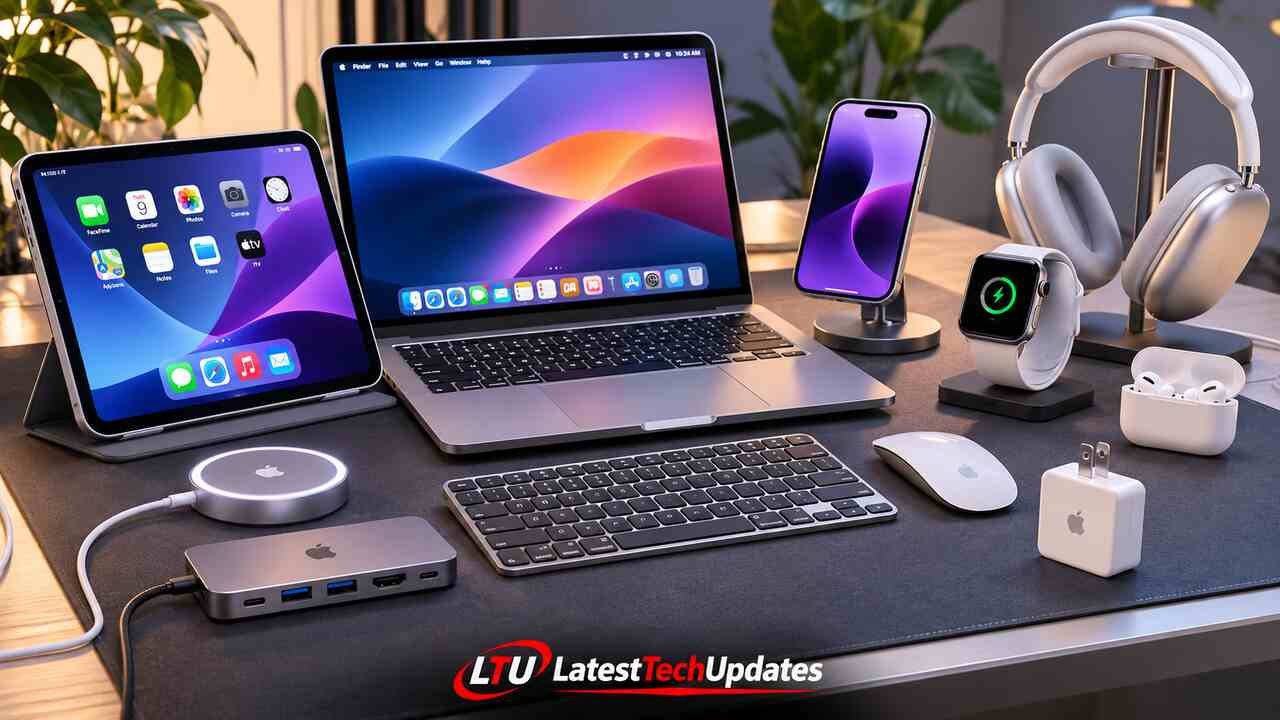
The most useful Apple accessory solves a problem you run into regularly. A MagSafe charger makes sense if you top up your iPhone at the same desk every day. An AirTag helps if you often misplace your keys. For an iPad you use to take handwritten notes, start with a compatible Apple Pencil.
| If you want to… | Start with… | Check before buying |
|---|---|---|
| Charge your iPhone at a desk or bedside | MagSafe Charger | iPhone model, case, and power adapter |
| Charge away from a wall outlet | Compact power bank | Cable, connector, and charging output |
| Find keys or luggage | AirTag | Whether you need a holder |
| Listen on a noisy commute | AirPods Pro | Fit and features of the specific generation |
| Write or draw on an iPad | Apple Pencil | Exact iPad model and Pencil version |
| Type regularly on an iPad | Magic Keyboard | iPad generation, screen size, and keyboard version |
| Connect a MacBook to desk equipment | USB-C hub | Display output, ports, and power delivery |
| Keep a spare Apple Watch charger | Magnetic charging cable | Watch model and fast-charging support |
| Swap a sweaty workout band | Apple Watch band | Case size, band compatibility, and fit |
1. MagSafe Charger for your desk or nightstand
Apple’s MagSafe Charger snaps into alignment on supported iPhones, making it easy to set your phone down for a quick top-up. Charging speed depends on the iPhone, charger version, and power adapter. Check Apple’s MagSafe Charger setup guide for the adapter requirements, and remove any magnetic wallet before charging.
A flat charging puck fits neatly on a nightstand. If you frequently glance at notifications while working, a stand keeps the screen visible. The iPhone 18 Pro Max MagSafe and Qi2 guide compares charging pads, stands, and battery packs for that model.
2. Compact power bank for travel days
A compact power bank is useful when you rely on your iPhone for navigation, boarding passes, or photos and may go hours without an outlet. Start with the connector your iPhone uses, whether that’s USB-C or Lightning. If you’re considering a magnetic pack, check how securely it fits over your case and how it feels when you hold the phone.
Compare the pack’s dimensions and weight alongside its capacity. For everyday use, pick a size you’ll actually carry.
3. AirTag for keys, bags, and luggage
An AirTag helps you locate belongings through Apple’s Find My network. A key ring holder gives it a secure attachment point. For luggage or a backpack, an interior zip pocket may be enough.
Location updates depend on nearby devices in the Find My network. If your bag goes missing somewhere with little foot traffic, the last reported location may be your most useful clue.
4. AirPods or AirPods Pro for calls and commuting
AirPods Pro are worth considering if you regularly listen on trains, planes, or in a busy office and want active noise cancellation. Their silicone tips create a seal, so fit affects both comfort and how much outside noise you hear. If you prefer an open fit, compare standard AirPods models and check whether the exact version offers noise cancellation.
If you’re shopping refurbished, the AirPods 3rd generation buying guide explains what to expect from that generation, including battery life and charging case options.
5. Apple Pencil for handwritten notes and drawing
An Apple Pencil earns its place if you mark up PDFs, sketch, or take handwritten notes. Even two iPads with the same screen size can support different Pencils. The 11-inch iPad Pro with M4 supports Apple Pencil Pro and Apple Pencil (USB-C), while the fourth-generation 11-inch iPad Pro supports Apple Pencil (2nd generation) and Apple Pencil (USB-C).
Before ordering, open Settings → General → About on your iPad and match the model name against Apple’s Pencil compatibility guide. For highlighting documents, a basic compatible Pencil may be enough. For illustration, compare features such as pressure sensitivity and how each model charges.
6. Magic Keyboard for typing on an iPad
A Magic Keyboard makes sense if you regularly use your iPad to write emails, edit documents, or work in spreadsheets. The built-in trackpad is especially useful when you spend a lot of time selecting text or moving between apps.
Apple offers different keyboard versions for compatible iPad Air and iPad Pro models. Check the specific iPad generation and screen size on the listing before buying, especially secondhand. If you type mostly at one desk, a standalone Bluetooth keyboard lets you position the iPad independently.
7. USB-C hub for a MacBook desk setup
A USB-C hub lets you connect several accessories at once, such as an HDMI monitor, a USB-A drive, and an SD card. List what you plug in during a typical week before choosing a hub. A photographer may need a card reader and room for an external drive, while someone moving between meeting rooms may mainly need HDMI.
For a permanent desk setup, check whether the hub supports your monitor’s resolution and refresh rate. If you want the same cable to connect the display and charge your MacBook, check how much power the hub can deliver to the laptop. For printing, a Mac-compatible AirPrint printer can connect over Wi-Fi and leave a hub port free.
8. Spare Apple Watch charging cable for travel
A spare magnetic charging cable is handy if you frequently travel or split your week between home and the office. Keeping one in your travel pouch means the cable on your nightstand can stay there.
If fast charging matters, confirm that your Apple Watch, charging cable, and power adapter all support it. If you buy a stand, check the box contents. Some stands include a charger, while others hold the cable you already own.
9. Apple Watch band for workouts or daily wear
A second band makes sense if your everyday strap takes too long to dry after a workout or feels uncomfortable during a run. An adjustable band makes it easier to fine-tune the fit, and an easy-to-clean material is practical if you exercise regularly.
Check the case size printed on the back of your Apple Watch against the band’s compatibility listing. If the band comes in fixed lengths, measure your wrist before ordering.
Which Apple accessory should you buy first?
Start with the problem you run into most often. If your iPhone runs low when you’re away from home, get a power bank. If connecting your monitor and peripherals takes up several ports every morning, get a USB-C hub. If you’re always looking for your keys, an AirTag and a simple holder may be all you need.
