


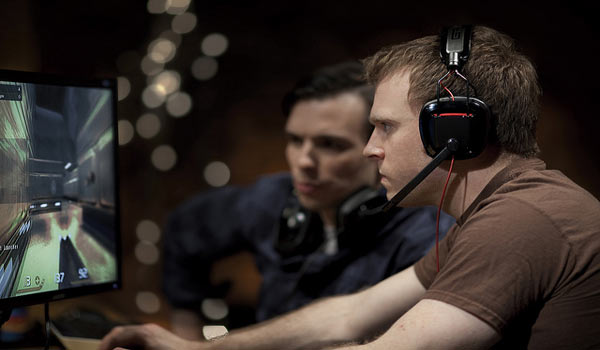
If you’re crazy about gaming, you need a rig that can handle everything you throw at it. If you’re anything like us, you’re still wide-eyed at 3 am planning your next battle move on League of Legends. A hardcore gamer needs a hardcore rig. We’ve done our research on the perfect setup, and today we’re sharing it with you.
As a gamer, you’ll notice a big difference when you upgrade your rig to a new specification. You need a setup that will last through the long nights and keep from cutting out. Most of all, you need a rig that will give you the best possible gaming experience. You want to immerse yourself in the gaming world and make it as realistic as possible. Here’s what you need.
Custom PC
First of all, you need a custom machine that can handle the power. A standard PC or console is fine for the average, passive gamer. But, if you want to take things to the next level, it pays to upgrade to a custom PC or gaming laptop. These machines are built solely with gaming in mind. They are super fast, with the highest possible graphics processors. Most come with powerful sound cards too. The idea here is that you get the best possible experience. You get the best graphics and the best sound. Most importantly, there are no other systems or data on the computer, meaning it can operate at its fastest speed. The last thing you want is lag slowing your game down or the computer overheating.

4K monitors
Designers create fantastic and wonderful worlds for their games. They create beautiful, deep backgrounds and intricate character features. For decades, game makers have pushed the boundaries of graphics processing. To get the best from your experience, you deserve the best monitor. You need a screen that captures and portrays all the game’s intricate detail. The best on the market right now are the futuristic 4K monitors. They’re four times more powerful than HD screens and provide complete immersion.
High-tech speakers or headphones
To complete your immersion into the gaming world, you need the best sound. Every game features carefully composed music and sound effects. Quality speakers or headphones are the only way to achieve the experience the designers had in mind. You’ll hear every deep bass rumble as danger approaches. You’ll hear the crisp, sharp flight of arrows and clash of swords. Try surround sound speakers and ultra clear headphones and you’ll never go back.
Accessories
Lastly, you can improve the gaming experience with dedicated accessories. The best gaming rigs are completed with a gaming keyboard and mouse. They’re designed specifically for easy use and efficiency. They’re also built with lengthy gaming in mind. They’ll keep your wrists and hands comfortable for hours at a time. You’ll play better, and you’ll play for longer.
Don’t compromise on the perfect gaming rig. Immerse yourself in the experience and create the ultimate gaming environment. Now, lock the door and get stuck into a 12 hour session!
