
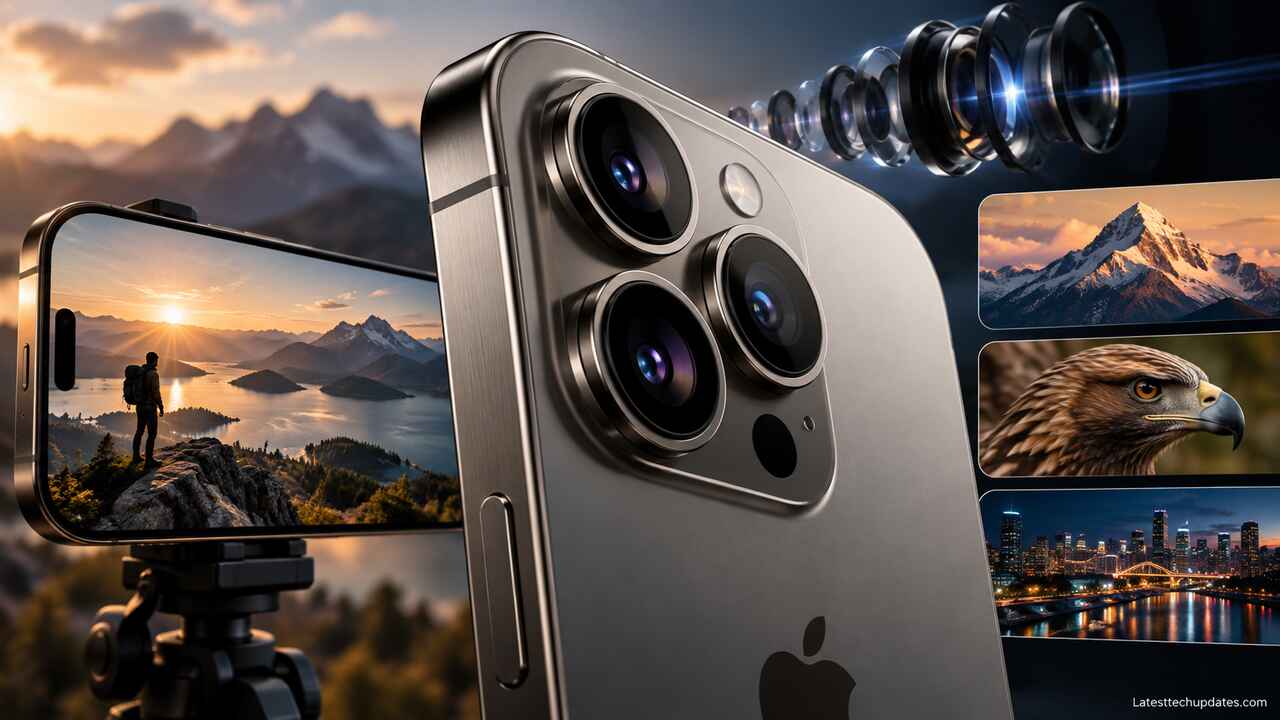
The iPhone 18 Pro Max camera is less about adding another lens and more about giving photographers greater control over the cameras already there. Apple keeps the three 48MP rear-camera setup, including 0.5x Ultra Wide, 1x Main, and 4x Telephoto cameras, but the 48MP Main camera now has a physical variable aperture. The Camera app also gains Pro controls for aperture, shutter speed, white balance, and a histogram.
For everyday users, the phone can still handle most of these decisions automatically. For photographers and video creators, however, the iPhone 18 Pro Max offers considerably more control over exposure, depth of field, motion, and the final visual style.
The important point about zoom is equally clear: Apple advertises up to 8x optical-quality zoom, but the phone does not contain a native 8x optical lens. Its dedicated telephoto camera is a 48MP 4x camera, while 8x uses a 12MP crop from that telephoto sensor.
iPhone 18 Pro Max camera specifications
All three rear cameras use 48MP sensors, although their lenses and practical uses are quite different.
| Camera | Focal length | Aperture | Practical use |
| 48MP Fusion Ultra Wide | 13 mm, 0.5x | f/2.2 | Landscapes, interiors, architecture, macro |
| 48MP Fusion Main | 24 mm, 1x | f/1.48, f/1.8, f/2.8, f/4 | Everyday photos, low light, portraits, general photography |
| Main camera crop | 48 mm, 2x | Variable aperture | Portraits and moderate zoom |
| 48MP Fusion Telephoto | 100 mm, 4x | f/2.8 | Portraits, events, distant subjects |
| Telephoto crop | 200 mm, 8x | f/2.8 | Wildlife, concerts, sports and distant details |
| Front camera | 18MP Center Stage | f/1.9 | Selfies, video calls and front-camera video |
The rear system offers a 120-degree field of view on the Ultra Wide camera, 48MP macro photography, second-generation sensor-shift stabilization on the Main camera, and 3D sensor-shift stabilization and autofocus on the Telephoto camera.
Variable aperture is the biggest camera hardware change
The 48MP Main camera is the first iPhone camera with a physical variable aperture. Instead of being permanently fixed at one lens opening, six mechanical aperture blades can control how much light reaches the sensor. Apple provides four manual positions in its Camera app:
- f/1.48: lets in the most light and can produce shallower natural depth of field.
- f/1.8: the more balanced general-purpose option.
- f/2.8: increases depth of field, helping more of a scene remain sharp.
- f/4: provides the greatest depth of field available from the system and can also create more pronounced starburst effects around bright point lights.
Apple says the camera can automatically adjust its aperture according to lighting and the depth of field needed in a scene. Its widest f/1.48 setting is also intended to improve low-light capture. Apple claims around 50 percent better low-light performance from the Main camera, although that figure should be treated as a manufacturer claim rather than a guarantee of a 50 percent improvement in every night photo.
What aperture actually changes
Aperture controls the opening inside a camera lens.
A wider opening, such as f/1.48, allows more light to reach the sensor. This can help the camera use a faster shutter speed in dark environments, potentially reducing motion blur from moving people or shaky hands.
Closing the aperture to f/4 reduces the amount of light but increases depth of field. That can help when photographing a group of people standing at different distances or a landscape where both foreground and background detail matters.
There is also a creative benefit. Wider apertures can create genuine optical background separation rather than relying entirely on the software-generated blur used in Portrait mode.
Independent testing by Tom’s Guide found that the difference between f/1.48 and f/4 was clearly visible at relatively close subject distances, while the difference became much smaller as the photographer moved farther away. That is normal camera behavior. Smartphone sensors and short physical focal lengths still limit how dramatic natural background blur can become.
Wider is not automatically sharper
A wider aperture is useful, but it is not always the technically best setting.
PetaPixel’s testing found its sample was sharpest around f/2.8, with some edge softness at f/1.48 and a smaller loss of sharpness from diffraction at f/4. Results can vary with subject, lighting and processing, but this illustrates why having several apertures is more useful than simply making the lens permanently wider.
For ordinary photography, leaving aperture control on automatic is sensible. Manual aperture becomes more useful when you deliberately want greater background separation, maximum depth of field, a specific shutter speed, or a consistent look across several shots.
How iPhone 18 Pro Max zoom actually works
Understanding the zoom system requires separating native lenses from sensor crops and digital zoom.
0.5x Ultra Wide
The 13 mm-equivalent Ultra Wide camera provides the widest perspective.
It is useful for:
- Large landscapes
- Buildings and architecture
- Small rooms
- Large groups
- Dramatic foreground compositions
- Macro photography
Because an ultra-wide lens makes distant objects look smaller, it is generally a poor choice when the goal is to bring a distant subject closer.
1x Main camera
The 24 mm-equivalent Main camera is the most versatile camera on the phone.
It has the variable aperture, the strongest low-light flexibility, second-generation sensor-shift optical image stabilization, and access to Apple Reference Image. For many scenes, this is the camera to prioritize when image quality matters most.
2x optical-quality zoom
There is no separate 2x camera.
The phone creates its 48 mm-equivalent 2x view using the central part of the 48MP Main sensor, producing a 12MP result. Apple describes this as optical-quality because it can use native sensor pixels instead of simply enlarging a lower-resolution photograph.
The 2x view is especially useful for portraits, food photography and everyday subjects where 1x feels too wide but 4x requires too much distance.
4x Telephoto
The dedicated Telephoto camera provides a native 100 mm-equivalent 4x perspective.
This focal length works particularly well for:
- Portraits
- Stage performances
- Sports
- Street details
- Pets
- Compressed landscapes
- Subjects that are physically difficult to approach
Its f/2.8 aperture is fixed, so the variable-aperture feature does not apply to the telephoto camera.
8x optical-quality zoom
Apple’s 8x setting corresponds to a 200 mm-equivalent view.
It is important to understand Apple’s wording. This is 8x optical-quality zoom, not a separate 8x optical lens. The 48MP telephoto camera captures a 12MP center portion of the sensor to create the 8x view.
In good light, that approach gives users considerably more reach without immediately falling back on heavy digital enlargement.
For concerts, wildlife, outdoor sports or architectural details, 8x can therefore be genuinely useful. In difficult light, however, the 4x view may preserve more flexibility because the camera has more sensor information available for processing.
What does the 16x optical-quality zoom range mean?
Apple lists a 16x optical-quality zoom range. That does not mean the phone magnifies an image 16 times beyond its 8x setting.
The number describes the difference between the widest 0.5x perspective and the longest 8x optical-quality perspective:
8 ÷ 0.5 = 16
So the camera system covers a 16x range of optical or optical-quality perspectives.
Digital zoom reaches 40x
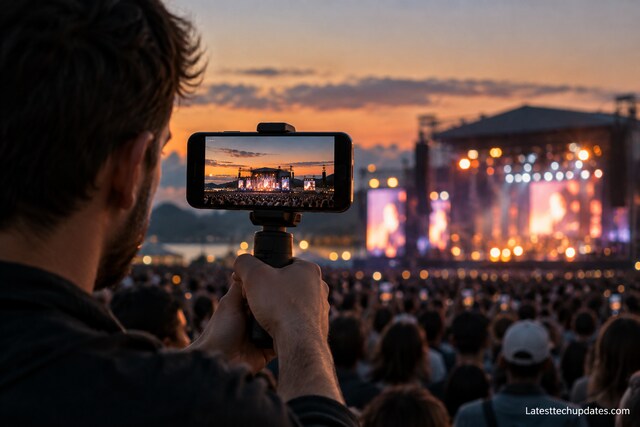
Still photos support digital zoom up to 40x. Video supports digital zoom up to 24x.
Digital zoom can be helpful when simply documenting something far away, but it should not be confused with the quality available at 4x or 8x. Digital zoom enlarges and processes a smaller portion of the available image, so fine detail becomes progressively harder to preserve.
For an important photograph, moving physically closer or staying within the 8x optical-quality range will usually give the camera more useful image data to work with.
Pro Controls make the Camera app much more useful
One of the most important changes is software rather than lens hardware.
The native Camera app now offers Pro controls for:
- Lens aperture
- Shutter speed
- White balance
- Histogram display
These controls apply to both photography and supported video workflows.
Shutter speed
Shutter speed controls how long the camera collects light.
A faster shutter can freeze movement, which helps with children, pets, sports or street photography. A slower shutter can deliberately blur moving people, traffic or water.
This is useful because photographers no longer have to rely entirely on the iPhone deciding the shutter speed for them.
White balance
White balance changes how the camera interprets the color of the light.
Locking white balance can be particularly valuable during video recording. Without a lock, automatic color adjustments can become noticeable if the lighting changes while recording.
Histogram
The histogram gives a graphical view of brightness distribution across the image.
It helps photographers identify whether highlights are being clipped or shadows are becoming too dark. This matters more when shooting ProRAW or video intended for later color work.
One control is still missing
PetaPixel noted an important limitation in the native Pro Controls system: photographers cannot manually lock ISO. Apple told the publication that computational image stacking is one reason it does not expose manual ISO control for still photography.
For normal users this is unlikely to matter. Photographers and filmmakers accustomed to controlling the full exposure triangle may still prefer specialized camera apps for some workflows.
Photography features
The iPhone 18 Pro Max offers several ways to capture photographs depending on whether convenience, resolution or editing flexibility matters most.
24MP and 48MP photos
The Main, Ultra Wide and Telephoto cameras support high-resolution photography, including 24MP and 48MP capture where supported.
Higher resolution can be useful when:
- Cropping heavily
- Printing larger images
- Photographing landscapes
- Capturing architecture
- Preserving small details
It also creates larger files, so 48MP is not automatically necessary for every snapshot.
Apple ProRAW
ProRAW remains available for photographers who want more editing flexibility.
RAW-based files preserve substantially more information for editing exposure, highlights, shadows, color and white balance than a finished JPEG. The tradeoff is much larger file sizes and the need for editing software.
The phone captures HEIF, JPEG and DNG image formats.
Photographic Styles 3
Photographic Styles 3 adds new texture and grain controls alongside Apple’s existing approach to adjusting the look of an image during the computational imaging process.
These are more useful for someone who wants a consistent visual style without manually editing every photograph later.
Night mode
Night mode works with the new Main camera’s wider aperture. Apple says the camera can automatically open the aperture farther in dark environments so that more light reaches the sensor.
The practical advantage of collecting more light is that the camera may not need to rely on an exposure that is as long, which can help when the subject is moving.
Night photography still benefits from steady hands or a tripod. No aperture system can completely eliminate subject movement during a long exposure.
Portrait photography
Next-generation portraits include Focus and Depth Control, while Portrait Lighting provides six effects.
There are now two different ways to think about background blur:
Natural optical blur: created physically by the Main camera’s aperture, subject distance and background distance.
Portrait mode blur: created computationally using depth information.
The variable aperture does not make Portrait mode unnecessary. Software depth control can create much stronger blur than the small physical camera system can produce naturally, particularly when subjects are farther away.
Macro photography
The 48MP Ultra Wide camera handles macro photography.
Macro mode is intended for very close subjects such as flowers, insects, electronic components, jewelry or other fine details. Apple lists support for 48MP macro photography as well as macro video, including slow motion and time-lapse.
Front camera and Center Stage
The iPhone 18 Pro Max uses an 18MP Center Stage front camera with an f/1.9 aperture and autofocus.
Its square sensor allows the phone to create portrait or landscape framing without requiring the user to physically rotate the phone for every shot.
Center Stage can also adjust framing for group selfies and supported video calls.
For creators, another useful feature is Dual Capture, which can record using the front and rear cameras at the same time.
iPhone 18 Pro Max video recording
Video remains one of the strongest parts of the Pro camera system.
The rear Main camera supports 4K Dolby Vision recording at 24, 25, 30, 60, 100 and 120 frames per second. The exact maximum frame rate depends on the camera and recording mode being used.
4K Dolby Vision up to 120 fps
The 48MP Main camera can record 4K Dolby Vision at up to 120 fps.
A high frame rate is useful for action or slow-motion work. It also requires considerably more storage than ordinary 4K30 recording.
For everyday family videos, travel clips and social content, 4K30 is normally enough. 4K60 makes motion look smoother, while 4K120 is much more specialized.
Cinematic mode
Cinematic mode now supports up to 4K Dolby Vision at 60 fps. Apple also supports applying Cinematic effects after capture to compatible video.
This makes it possible to make some creative focus and cinematic decisions after the recording rather than committing to everything during capture.
ProRes and ProRes RAW
For professional production, the iPhone 18 Pro Max supports:
- ProRes recording up to 4K120 with external recording
- ProRes RAW
- Apple Log 2
- Academy Color Encoding System support
- Genlock support
These features are aimed at filmmakers rather than ordinary phone users.
ProRes and especially ProRes RAW can produce very large amounts of data. Anyone planning long professional recordings should consider external storage, available capacity and the rest of the editing workflow before shooting.
Apple Log 2
Apple Log 2 records a flatter-looking image designed to preserve information for color grading.
Unedited Log footage often looks washed out. That is expected. It is intended to be processed later in video-editing and color-grading software.
If a video will be recorded and immediately shared without editing, regular Dolby Vision recording is usually simpler.
Genlock
Genlock allows compatible equipment to synchronize frames across several cameras or video sources.
This has little value for ordinary users, but it matters in professional multicamera productions where accurate synchronization can reduce substantial work during editing.
Action mode
Action mode records stabilized video at up to 2.8K Dolby Vision at 60 fps.
It is designed for situations involving strong camera movement, such as:
- Running
- Following a cyclist
- Filming children
- Walking quickly
- Recording outdoor activities
The tradeoff is that the system needs to crop and process the image more aggressively to stabilize movement.
Dual Capture
Dual Capture supports recording the front and rear cameras simultaneously at up to 4K Dolby Vision at 30 fps.
That is particularly useful for:
- Travel videos
- Interviews
- Reactions
- Event coverage
- Tutorials
- Vlogging
4K Dolby Vision time-lapse
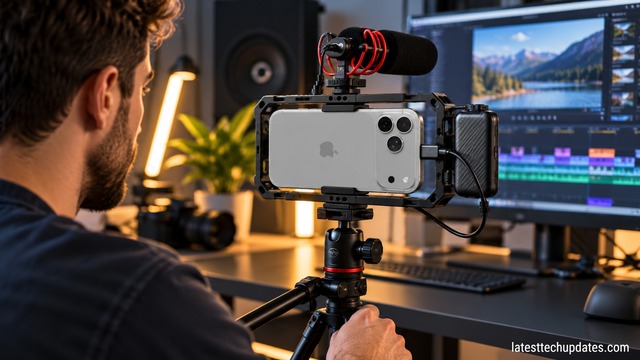
Time-lapse video can now be recorded with stabilization at up to 4K Dolby Vision. Night mode time-lapse is also supported.
Audio recording
The iPhone 18 Pro Max includes four studio-quality microphones according to Apple’s specifications, along with Spatial Audio, stereo recording, wind-noise reduction, Audio Zoom and Audio Mix.
Apple says updated Audio Mix algorithms improve voice quality and can isolate music more effectively.
Variable aperture is especially interesting for video
Variable aperture can be more useful for video than it first appears.
Filmmakers often want to control shutter speed to produce natural-looking motion blur. In bright daylight, keeping the desired shutter speed can let too much light reach the sensor.
Closing the iPhone’s Main camera aperture from f/1.48 toward f/4 reduces incoming light and gives the filmmaker another exposure control.
It does not completely replace neutral-density filters. PetaPixel found that f/4 can still allow too much light for some bright outdoor situations when a filmmaker wants a slower cinematic shutter speed. An ND filter may therefore remain useful for serious daylight video work.
Smart focus tracking
The iPhone 18 Pro Max also introduces Smart focus tracking for stills and video.
For subjects moving through a scene, reliable autofocus can matter more than another increase in megapixels.
PetaPixel reported strong tracking performance in its testing, although it also found limitations when combining tracking with certain burst-shooting situations.
That makes the feature particularly relevant to pets, children, sports, street photography and moving video subjects.
Apple Reference Image
Apple Reference Image is one of the more unusual photography features on the iPhone 18 Pro series.
It is designed to provide an authentic reference representing what the Main camera sensor captured. In Reference mode, signed sensor information is used to create a reference image that can later be compared against an edited version.
The feature could be particularly useful for:
- Photojournalism
- Documentary photography
- Evidence workflows
- Publishers
- Organizations concerned about manipulated images
It is opt-in rather than automatically enabled for every photograph. Apple also says availability differs by region, with Reference Image capture unavailable at launch in some markets including the EU and China.
For an everyday vacation or family photo, the feature will probably not change how someone uses the camera.
Best camera settings for common situations
There is no single setting that works best for every scene, but the camera system makes more sense when each lens and aperture is matched to the job.
Everyday photography
Use the 1x Main camera and automatic aperture.
It gives the phone the most flexibility to balance light, depth of field and computational photography.
Low-light photography
Start with 1x and let the phone use its wider aperture automatically.
Hold the device steady during Night mode. A tripod can help with static scenes.
Portraits
Try 2x when you want a natural perspective without standing too far away.
Use 4x when there is enough working distance and you want a tighter portrait.
For natural optical background separation with the Main camera, move reasonably close to the subject, keep the background farther behind them, and experiment with f/1.48.
Group photos
Avoid automatically choosing the widest aperture.
If people are standing in several rows, using a narrower aperture such as f/2.8 or f/4 on the Main camera can increase depth of field and help keep more faces sharp.
Landscapes
The 1x Main camera will often provide the strongest overall image quality.
Use 0.5x when the extra width genuinely improves the composition. A narrower aperture on the Main camera can also provide additional depth of field when needed.
Wildlife, concerts and sports
Start with 4x when possible.
Move to 8x when additional reach is more important than maximum sensor resolution. Avoid jumping directly to 40x simply because the option exists.
Professional video
Use Pro controls when consistent exposure matters.
For footage intended for grading, Apple Log 2 or ProRes workflows provide more flexibility. For straightforward recording and sharing, regular 4K Dolby Vision is easier and uses a simpler workflow.
Important camera limitations
The iPhone 18 Pro Max camera system is highly capable, but several limitations are worth understanding.
First, variable aperture works on the Main camera, not across all three rear lenses. The Ultra Wide and Telephoto remain fixed-aperture cameras.
Second, 8x is an optical-quality sensor crop rather than a separate native 200 mm lens.
Third, 40x photography is digital zoom. It provides reach, but it should not be expected to preserve the same fine detail as the 4x telephoto.
Fourth, a small smartphone camera still cannot produce the same optical depth of field behavior as a large-sensor mirrorless camera with a fast lens. Variable aperture gives photographers meaningful extra control, but physics still applies.
Finally, the new camera hardware does not make the iPhone 17 Pro Max suddenly obsolete. The previous model already introduced the 48MP 4x telephoto, 8x optical-quality zoom, 40x photo zoom, 18MP Center Stage front camera, ProRes RAW, Apple Log 2 and genlock. The most important iPhone 18 Pro Max camera upgrades are variable aperture, the new Pro Controls, revised image processing, Photographic Styles 3 features, and related software improvements.
Independent reviews reflect that distinction. The Verge described the image-quality changes as relatively modest for casual photography, while PetaPixel found the broader photographic experience considerably improved once aperture control, manual controls and updated processing were taken together.
Is the iPhone 18 Pro Max a meaningful camera upgrade?
For an iPhone 17 Pro Max owner who mainly opens the Camera app, taps the shutter and shares the photo, the difference may be relatively small. The telephoto reach is fundamentally similar, and several professional video capabilities already existed on the previous generation.
The upgrade becomes more meaningful for photographers and video creators who will actually use aperture control, manual shutter speed, white balance control, histograms and the updated creative tools.
Users moving from an older iPhone are likely to notice a broader improvement because they gain the newer 48MP telephoto system, 8x optical-quality reach, higher-resolution front camera and modern professional video features at the same time.
Frequently Asked Questions
Does the iPhone 18 Pro Max have optical zoom?
Yes. It has dedicated 0.5x, 1x and 4x camera perspectives, plus optical-quality 2x and 8x views produced using high-resolution sensor crops. Apple lists an overall 16x optical-quality zoom range.
Is 8x zoom really optical?
Apple calls it 8x optical-quality zoom, not a native 8x optical lens. The dedicated telephoto camera is 4x at 100 mm equivalent. Its 48MP sensor enables a 12MP 8x crop equivalent to 200 mm.
How far can the iPhone 18 Pro Max zoom?
Photos support digital zoom up to 40x. Video supports digital zoom up to 24x. The highest optical-quality photo setting is 8x.
Does the iPhone 18 Pro Max have a variable aperture?
Yes. The 48MP Main camera offers f/1.48, f/1.8, f/2.8 and f/4 settings in Apple’s Camera app. The phone can also control its aperture automatically.
Can the iPhone 18 Pro Max shoot 4K at 120 fps?
Yes. The Main camera supports 4K Dolby Vision recording at up to 120 fps. ProRes recording can also reach 4K120 when recording externally.
Does it replace a professional camera?
For many everyday photos, travel videos, social content and some professional production work, it can reduce the need to carry a separate camera. It does not duplicate the larger sensors, interchangeable lenses, long optical telephoto lenses, full exposure control and specialized accessories available with dedicated camera systems.
Conclusion
The iPhone 18 Pro Max camera represents an unusual type of smartphone camera upgrade. The headline is not more megapixels or dramatically longer zoom. All three rear cameras remain 48MP, and the longest optical-quality setting remains 8x.
The more important improvement is control.
A physical variable aperture lets the Main camera change how much light enters the lens and gives photographers some genuine control over depth of field. Pro Controls finally bring shutter speed, white balance, aperture and a histogram directly into Apple’s Camera app. Photographic Styles 3, Smart focus tracking and improved video tools add further flexibility.
For everyday users, the camera can still operate almost entirely automatically. For photographers and video creators, the iPhone 18 Pro Max is much more interesting because it allows more decisions to be made before pressing the shutter rather than leaving nearly everything to computational photography.
The 4x and 8x telephoto options remain useful for portraits, events and distant subjects, but users should understand where optical capture ends and digital enlargement begins. Staying within the 0.5x to 8x optical-quality range, choosing the right camera for the scene, and using the new aperture controls intentionally will usually matter more than simply pushing the zoom slider to its maximum.
Read Also: iOS 27 Finance Lock Rumors Spark Concern for JV and SIM Locked iPhones: What We Know So Far
