

Close Menu
Latest Tech UpdatesLatest Tech Updates
    Facebook X (Twitter) Instagram
    Tuesday, November 24
    Facebook X (Twitter) Pinterest YouTube
    Latest Tech UpdatesLatest Tech Updates
    • AI
      • AI Tools
      • Generative AI
      • AI for Business & Productivity
    • Business
    • Tech News
    • Tech Articles
      • Brands
      • EV’s
      • Reviews
    • Contact us
    Latest Tech UpdatesLatest Tech Updates
    Home»Tech Articles»Samsung Galaxy Tab S 10.5-inch – Review
    Tech Articles

    Samsung Galaxy Tab S 10.5-inch – Review

    Brandon ClarkeBy Brandon ClarkeJuly 2, 2014Updated:July 2, 2014No Comments3 Mins Read
    Facebook Twitter Pinterest LinkedIn Tumblr Email

    The Samsung Galaxy Tab s 10.5 inch, with 16 GB; is all the rage these days. What makes this Tablet so different from the others? For one, it offers an entirely different array of features and convenience at your fingertips. You can now watch videos and play games in greater HD than ever before. This tablet’s graphic is so advanced that it brings your content to life with its dazzling contrasting and its dark shadow feature. If it’s too bright for you or you’re not fully satisfied, then you can change the screening and brightness settings to your preference.

    No one would want their personal information being tampered with, which is exactly why this tablet offers all the security you need. You can now keep your videos, notes, pictures and other such media in your tablet without having to worry about it getting lost or getting in the hands of the wrong person. You can now lock and unlock your tablet as you wish and keep all your files and data secure at just the flick and swipe of your fingertips.
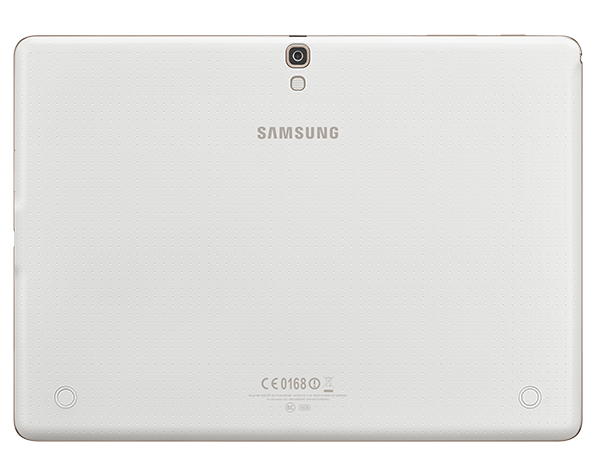
    Samsung Galaxy Tab S 10.5-inch

    You don’t want to keep this tablet all to yourself, which is why it offers an amazing multi-user mode experience. You can also create a personalized experience if you want, with a fingerprint scanner and identification system. If you’re worried about not having too much entertainment with this tablet, then fear not, for you know enjoy a variety of features in your own personalized way. Age doesn’t restrict the wide capabilities of this tablet. For kids, it has a special mode which lets you add playtime and app controls whilst still having parental controls on what your young one is up to.
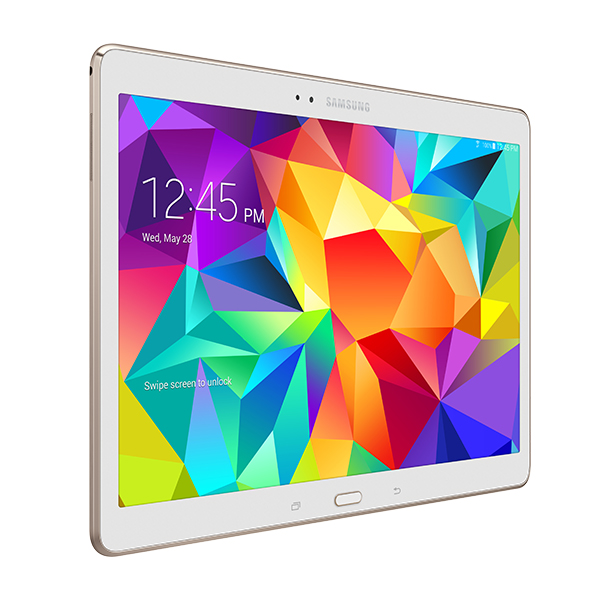
    Samsung Galaxy Tab S 10.5-inch

    The Samsung Galaxy Tablet s10.5-inch is extremely thin, and a very interesting design makes you want to indulge all the more in the variety of features that this tablet has to offer. It’s perfect for carrying as you won’t have to worry about dropping it. As a result of its ultra-thin build and structural efficiency, you won’t get tired of using it for too long or get bored of it anytime soon. Not to mention that this tablet has no problem connecting with other Galaxy products, so that you can share videos, pictures, information and typically any other media despite how far you are.
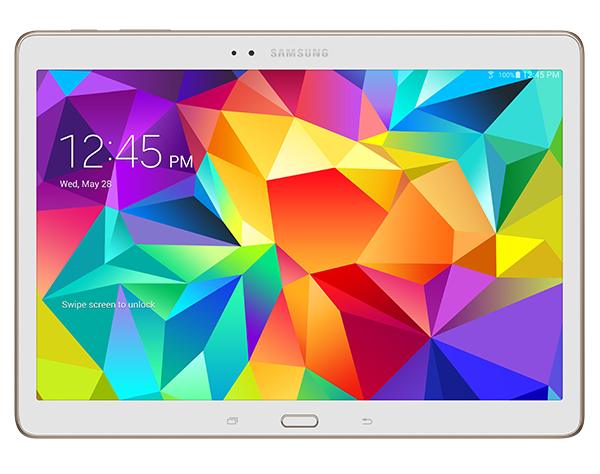
    Samsung Galaxy Tab S 10.5-inch

    This tablet features some of the best qualitative things you can imagine. It has built-in applications for browsing such as Chrome and for other purposes, Youtube and Picasa. It consists of extremely advanced navigating technology with GPS and Glonass tracking. It has a battery capacity of 7900 mAh and offers front sided and directional camera facing as well. With quality system and graphics hardware, this device has left some others way behind. It has super AMOLDED technology and a 288pi pixel density, which when compared is much better than most devices. The tablet is broad as your fingers move without having to worry about space and thin, to not make you weary of holding it. All in all, it is one of the best available in the market.

    Galaxy Tab S Samsung Samsung Galaxy Tab S Samsung Galaxy Tab s 10.5 inch
    Share. Facebook Twitter Pinterest LinkedIn Tumblr Email
    Brandon Clarke

    Brandon Clarke is a passionate tech enthusiast with a deep love for hardware, gadgets, and cutting-edge AI tools. He specializes in breaking down complex technology into simple, practical, and easy-to-follow guides that empower everyday users to make smarter tech decisions. Whether he’s testing new devices, analyzing performance, or exploring the latest innovations, Brandon is dedicated to helping readers stay informed, confident, and ahead of the curve in the fast-moving world of technology.

    Related Posts

    Employee Retention Software: How It Helps Reduce Turnover

    November 23, 2026

    How to Manage Multiple Google Accounts on Any Device

    November 20, 2026

    A Detailed Guideline to Features, Safety, and Top 20 Alternatives of FlixHQ

    November 20, 2026
    Add A Comment
    Leave A Reply Cancel Reply


    Latest Posts

    Employee Retention Software: How It Helps Reduce Turnover

    November 23, 2026

    Federal Healthcare Fraud Penalties: What You Need to Know

    November 23, 2026

    AI Tools for Remote Work & Collaboration: Build a Smarter Digital Workplace

    November 23, 2026

    Does Bad Weather Affect Car Accident Claims?

    November 23, 2026

    GTA VI Launch-Day Leave Surged as 43 U.S. Soldiers Took a Reenlistment Perk

    November 23, 2026

    GTA VI Hits $3.79 Billion in Launch-Day Sales, Rockstar Says

    November 21, 2026

    How to Manage Multiple Google Accounts on Any Device

    November 20, 2026

    A Detailed Guideline to Features, Safety, and Top 20 Alternatives of FlixHQ

    November 20, 2026

    Best Printer for Mac: 3 AirPrint Picks for Documents, Color and Photos

    November 20, 2026

    10 Ways to Improve the Software Development Process

    November 20, 2026
    Stay Connected!
    • Facebook
    • Twitter
    • Pinterest
    • YouTube
    Latest Tech Updates
    Facebook X (Twitter) Pinterest YouTube
    © 2026 All Rights Reserved to LatestTechUpdates.

    Type above and press Enter to search. Press Esc to cancel.