
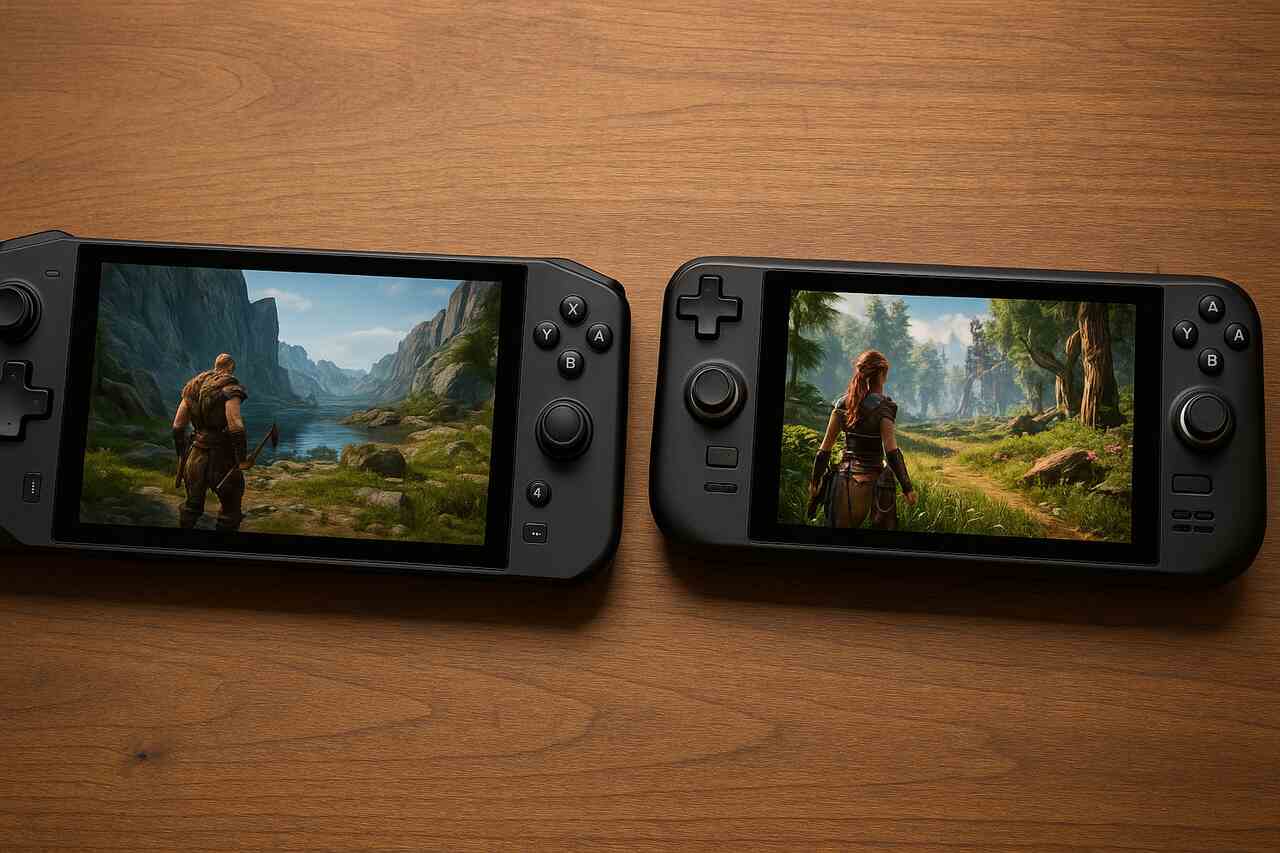
The rise of portable gaming PCs has sparked a new era for players who want high performance without being tied to a desk. Among the top competitors, the Lenovo Legion Go and the Valve Steam Deck stand out as two of the most discussed devices on the market. Both offer strong hardware, unique features, and distinct advantages depending on how, where, and what you plan to play. This guide breaks down actionable comparisons and user-focused steps to help you identify which device aligns best with your gaming lifestyle.
Understand the Hardware Differences
Choosing between the Legion Go and the Steam Deck starts with analyzing the performance foundation each device provides. Their hardware directly affects frame rates, visual clarity, heat output, battery life, and future-proofing.
The Legion Go uses AMD’s Ryzen Z1 Extreme processor, which delivers strong multi-core performance and handles graphically demanding titles with consistency. It includes an 8.8-inch 2560 by 1600 display that offers higher resolution games and wider viewing space. The Steam Deck relies on Valve’s custom AMD APU, designed to balance power efficiency with reliable output, making it ideal for optimized SteamOS gameplay.
On a practical level, the Legion Go’s hardware provides more headroom for newer titles, especially those that require better GPU performance. The Steam Deck focuses on balanced performance across a massive games library, benefiting from Valve’s software optimizations while offering stable output even with lower overall specifications.
Compare Processor Capabilities
The Legion Go’s Z1 Extreme processor supports improved rendering, higher clock speeds, and smoother performance for modern AAA games. The Steam Deck’s APU focuses on efficiency, allowing many titles to run smoothly thanks to careful power distribution and system-level tuning.
Evaluate Display Quality
The Legion Go offers a sharper and larger display that enhances detail visibility, especially in open-world or visually dense titles. The Steam Deck maintains a 1280 by 800 panel that favors battery life and consistent scaling across the Steam library.
Evaluate Portability and Ergonomics
A handheld gaming device must feel comfortable during long sessions, making size, weight, and handling critical factors. The Legion Go and Steam Deck differ notably in ergonomics and form.
The Legion Go has detachable controllers that mimic a hybrid of a gaming handheld and a compact PC gaming setup, allowing flexibility in how you hold or dock the device. The Steam Deck has a single integrated body that offers a molded grip designed for stability and extended use.
These distinctions affect how each device fits into travel routines, storage cases, and remote gaming setups. Gamers who value a lightweight feel may prefer one option, while users who prioritize modularity might lean toward the other.
Examine Device Weight
The Legion Go weighs more due to its larger display and detachable controller design, which may fatigue some users during longer handheld play. The Steam Deck maintains a balanced weight distribution that feels stable during hours of continuous gaming.
Compare Grip and Controller Comfort
The Legion Go’s detachable controllers create multiple play styles, such as tabletop mode or FPS-focused precision mode. The Steam Deck’s integrated controls provide a traditional and stable gaming feel without additional adjustments or parts.
Assess Game Library Compatibility
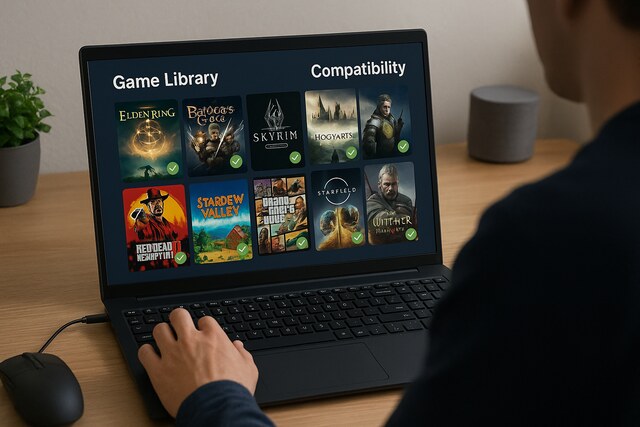
Game compatibility is one of the most influential deciding factors for any handheld gaming device. Both systems offer extensive access to PC libraries, but each handles compatibility differently.
The Steam Deck integrates directly into the Steam ecosystem, giving it seamless access to millions of players’ existing libraries. Valve’s Proton compatibility layer allows many Windows games to run smoothly on SteamOS without requiring manual adjustments. The Legion Go runs Windows 11, which opens compatibility with Steam, Game Pass, Epic Games, GOG, and other platforms.
While the Legion Go supports more storefronts natively, it also requires more adjustments for optimal performance. The Steam Deck provides a curated experience with clear compatibility markers and community-tested settings.
SteamOS Optimization Advantages
SteamOS gives the Steam Deck smoother launcher experiences, automatic updates, and verified game labels. These features remove the guesswork many players face while configuring PC games.
Windows Flexibility on Legion Go
Windows 11 on the Legion Go removes most compatibility limitations, making it ideal for players who subscribe to multiple game libraries or prefer cross-service access without restrictions.
Compare Control Systems and Input Options
Control flexibility shapes the gaming experience significantly, especially for genres that require precision. The Legion Go and Steam Deck offer different input innovations that affect accuracy and personalization.
The Legion Go includes detachable controllers similar to those used on hybrid consoles, offering a unique FPS mode where one controller becomes a vertical mouse-like device. The Steam Deck features trackpads, thumbsticks, and tactile inputs crafted to improve control accuracy for genres commonly played with a mouse and keyboard.
These variances can define comfort in shooters, strategy titles, retro games, and emulated systems. Players who regularly alternate genres may gravitate toward the device that offers the most diversified input options.
Trackpad Precision on Steam Deck
The Steam Deck’s dual trackpads extend gameplay possibilities by allowing finer aiming, faster menu navigation, and mouse simulation in titles meant for keyboard and mouse setups.
Legion Go FPS Mode Advantages
The Legion Go’s detachable right controller transforms into a dedicated aiming tool, giving shooter fans smooth and precise movement similar to a vertical mouse, particularly useful for tactical or competitive titles.
Review Battery Performance and Heat Management
Battery life and thermals influence how long you can play and how comfortable the device feels in your hands. The Legion Go and Steam Deck take different approaches to managing energy and heat output.
The Legion Go’s higher resolution display demands more power, which can shorten battery life during intense gameplay. Its cooling system, however, is effective at reducing heat buildup during extended sessions. The Steam Deck uses a lower resolution panel and optimized system settings, resulting in longer average battery runtimes under similar workloads.
Choosing between these devices requires weighing power consumption against visual performance. Gamers who prioritize crisp visuals may accept shorter battery life, while those who prefer extended play on the go may value efficiency over resolution.
Battery Duration Differences
The Steam Deck often maintains longer battery life during mid-range gaming scenarios, while the Legion Go drains faster under demanding titles due to its higher graphical output.
Cooling Performance Comparison
The Legion Go’s cooling design uses advanced airflow systems to reduce heat on the chassis. The Steam Deck balances heat distribution across the unit to ensure comfort without excessive fan noise.
Examine Storage Options and Expandability
Storage capacity impacts how many games you can install and how quickly they load. Each device offers internal SSD options along with expandable storage.
The Legion Go features easily accessible storage expansion through a microSD slot and supports larger SSD upgrades, offering convenience for users with extensive game libraries. The Steam Deck also includes a microSD slot and comes in multiple internal storage tiers, but upgrading the internal SSD requires more technical skill.
The difference lies in accessibility and flexibility. Players who constantly rotate large AAA titles might benefit from simpler upgrade pathways, while others may rely heavily on microSD expansion for cost-effective storage.
Internal SSD Upgrades
The Legion Go uses a more accessible internal M.2 slot, simplifying SSD replacements. The Steam Deck supports SSD swaps but requires careful disassembly and extra knowledge.
MicroSD Expansion Performance
Both devices support microSD expansion, but the Steam Deck is known for consistently fast load times thanks to its optimized OS-level handling of external storage.
Determine Which Device Fits Your Playstyle
After comparing performance, controls, battery, and compatibility, the final step is identifying which device best matches your personal gaming habits. Each system can excel depending on how and where it is used.
Players who value a large screen, high performance, and flexible play configurations may find the Legion Go aligns better with their needs. Meanwhile, players who want a stable platform, long battery life, and seamless Steam integration often prefer the Steam Deck.
By matching features to lifestyle, the decision becomes clearer. Both devices deliver strong experiences, but the right choice depends on what matters most during your everyday gaming routines.
Ideal User Profile for Legion Go
The Legion Go works well for gamers seeking maximum display quality, modular play styles, and access to every major PC game launcher without restrictions.
Ideal User Profile for Steam Deck
The Steam Deck appeals to players who prioritize ease of use, battery life, and the comfort of a fully optimized Steam ecosystem with dependable performance.
Legion Go vs Steam Deck Key Features
| Feature | Legion Go | Steam Deck |
| Processor | AMD Ryzen Z1 Extreme | Custom AMD APU |
| Display | 8.8 inch 2560 by 1600 | 7 inch 1280 by 800 |
| OS | Windows 11 | SteamOS |
| Battery Life | Moderate | Longer under similar load |
| Controls | Detachable, FPS mode | Integrated, trackpads |
| Storage | Easy SSD replacement | More complex upgrades |
Display and Control Summary
| Category | Legion Go Strengths | Steam Deck Strengths |
| Visuals | Higher resolution, larger display | More efficient battery performance |
| Controls | Unique FPS mode, modular design | Precise trackpads, comfortable grip |
Conclusion
Selecting between the Legion Go and Steam Deck is ultimately about aligning features with personal gaming expectations. The Legion Go delivers powerful performance, a sharp and immersive display, and versatile controllers that support a range of play styles. The Steam Deck prioritizes efficiency, stability, and simplicity with a curated system designed for smooth gameplay and long sessions. Both devices perform exceptionally well, but your unique needs, preferred game genres, and mobility habits will determine the ideal handheld for your gaming setup.
FAQ’s
Which device is better for AAA gaming?
The Legion Go generally performs better with modern high-demand titles due to its stronger processor and higher resolution capabilities.
Which handheld lasts longer on battery?
The Steam Deck usually offers longer battery life thanks to its more efficient hardware and lower resolution display.
Can both devices run non-Steam games?
Yes. The Legion Go runs all PC launchers through Windows, while the Steam Deck can run them with additional setup through desktop mode.
Which device offers more comfortable controls?
The Steam Deck offers a more ergonomic integrated design, while the Legion Go provides detachable controllers and an FPS mode for added flexibility.
Is the Legion Go easier to upgrade?
Yes. Its internal SSD can be replaced more easily without deep disassembly compared to the Steam Deck.
Which handheld is better for travel?
The Steam Deck tends to be better for extended travel due to its battery performance and sturdy integrated design.

[…] Gaming […]