
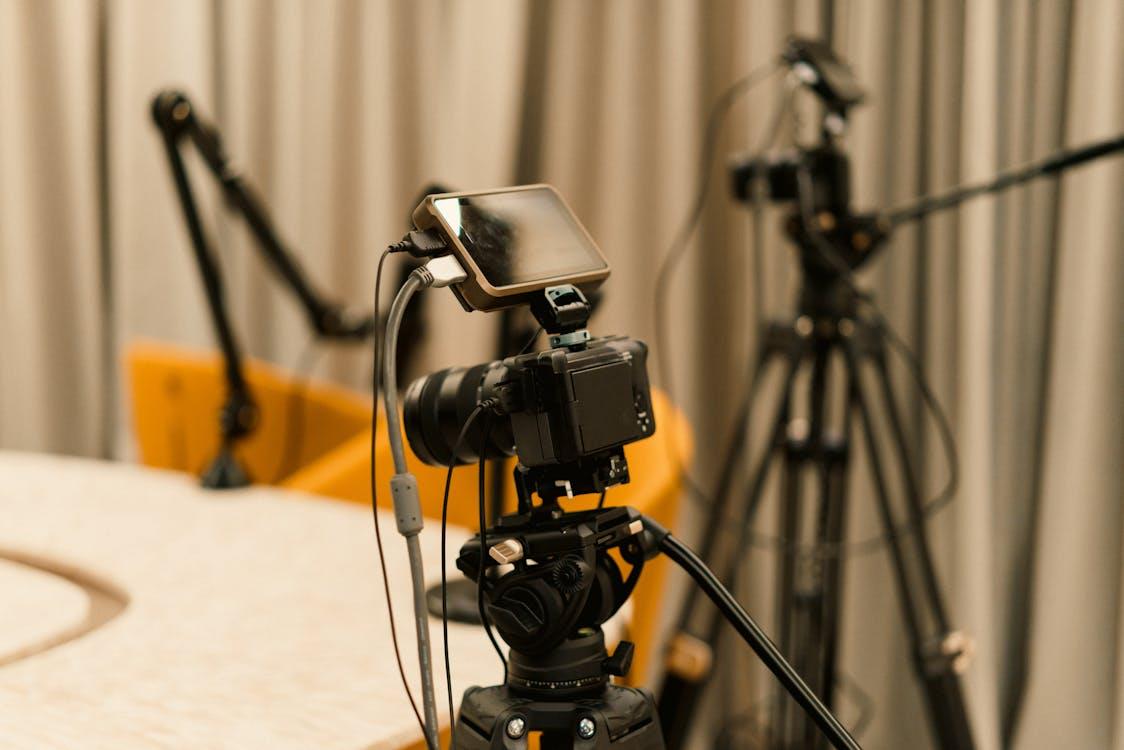
Dreaming of broadcasting to thousands of customers simultaneously? Want to connect with customers and employees in real-time?
Professional streaming services have boomed in recent years. Video production that used to be reserved for major TV networks is now available to businesses of all sizes.
Here’s the catch.
Those that invest in proper broadcasting equipment solutions are reaping huge rewards by meeting customers where they are: online. With virtual trainings that rival in-person courses and virtual events that put professional venues to shame.
Ready to learn how you can join the professional streaming movement?
Here’s what you’ll learn:
- Why Professional Streaming Services Are Taking Off
- Must-Have Broadcasting Equipment Businesses Need To Get Streaming
- How To Match Your Goals To The Right Equipment Solution
- Mistakes You Should Avoid When Going Live
Why Professional Streaming Services Are Taking Off
Let’s start with the big picture.
The global live streaming market reached $143.89 billion USD in 2024 alone. Yes you read that correctly. And it’s expected to exceed $1 trillion by 2032.
Impressive numbers. But here’s the real story at play:
Businesses are fueling a significant portion of live streaming growth. Internal corporate communications, remote employee training sessions, global product launches, earnings broadcasts, and more are now live-streamed.
Companies need broadcasting equipment solutions that allow them to stream professional-quality video that won’t skip, buffer, or fail mid-presentation.
Streaming providers like Thor Broadcast are making professional-grade livestreaming gear more accessible than ever before.
Companies of all sizes have fully embraced hybrid and remote work. Remote teams expect reliable video conferencing solutions. Customers want access to livestreams from their favorite brands.
Must-Have Broadcasting Equipment Businesses Need To Get Streaming
Ready to get streaming? You don’t need to break the bank. But there are a few tools every professional broadcaster should have:
Encoders
Video encoders capture video feeds then translate that data into a streamable format. Think of encoders as translators between your video source and broadcast destinations.
Without encoders, you can’t broadcast video! High-quality hardware encoders are more reliable for professional applications than software alternatives.
Choose encoders that allow you to stream multiple formats simultaneously. This provides flexibility when broadcasting to more than one destination.
Video Switchers
Nobody wants to watch a live stream with a single stationary camera. Video switchers allow operators to seamlessly cut between multiple cameras, video sources, graphics, and pre-recorded video.
Video switchers instantly professionalize your video streams.
Professional Microphones
Here’s a tidbit of broadcasting knowledge:
Audio is more important than video.
Viewers will forgive lower-quality video. But if your audio is crackly and unclear, they’ll move on to the next stream in seconds. Invest in professional microphones and audio mixing equipment first.
Signal Distribution Equipment
Captured video needs to travel from cameras and sources to encoders and streaming platforms. Signal distribution amplifies video feeds over long distances, splits signals between devices, and converts signals between common formats like HDMI and SDI.
HDMI distribution amplifiers, SDI converters, and HDMI/SDI extenders are essential broadcasting tools.
Streaming Software And Hardware
Last but certainly not least; you need hardware or software to tie everything together.
Streaming platforms should support multiple camera and audio inputs, graphics overlays, and reliable streaming to multiple outputs.
How To Choose The Right Equipment For Your Goals
Every business doesn’t need to invest in a full professional studio complete with cameras, teleprompters, and production teams.
Ask yourself a few questions to help narrow down your options:
- How many viewers will you need to reach simultaneously?
- Will broadcasts remain internal only or be public-facing?
- Which platforms will need to receive your stream?
- How critical is it the broadcast be 100% reliable? Do you need redundant streams and backups?
A small company hosting weekly all hands meetings for its 200 employees won’t need the same equipment as a multinational business hosting product launches viewed by hundreds of thousands of customers.
Scale is important when selecting the right broadcasting equipment.
Smaller startups can get away with minimal encoder and video switcher setups. Mid-sized teams will likely want professional quality microphones and reliable streaming redundancy. Large scale operations with mission critical streams will require full production setups.
Professional live streaming for businesses is growing at a 12.9% compound annual growth rate through 2032.
This growth will be driven by businesses moving away from consumer-grade video conferencing solutions and installing professional broadcast equipment.
Budgeting For Professional Streaming
How much should you budget for your streaming setup? Professional streaming solutions can range from $100 to $100,000+. Depends on the quality of gear and how many bells and whistles you want.
For most businesses, there’s sweet spot in the middle. Entry level to mid-tier professional setups range from $1,000-$10,000.
Here’s a general breakdown of pricing tiers:
Entry-level: Basic encoder, camera, microphone, etc. Perfect for small or internal broadcasts.
Mid-tier: Professional encoder, video switcher, microphone, and cameras. Suitable for customer-facing streams and larger events.
Enterprise: Redundant hardware, professional video monitoring, and full control rooms.
Mistakes You Should Avoid When Going Live
You can have the best gear in the world. But garbage in, garbage out.
Here are some common broadcasting blunders to avoid:
Not Testing Equipment Before Going Live
Go live with gear you haven’t tested? Don’t risk it. Do full run-throughs with all equipment 24 hours before major live streams.
Not Understanding Internet Requirements
Live streaming is bandwidth intensive. Professional streams require robust and reliable internet connections.
A single 1080p stream can eat through 5-10 Mbps of upload bandwidth. Multiple streams, 4K video, and high-fidelity audio require even more.
Have a backup internet connection ready for important streams. Period.
Poor Audio
This one was already mentioned above.
But it’s true. There’s no coming back from poor audio quality. Double and triple check your audio beforehand.
Lack Of Backup Plans
What happens if your primary encoder fails? Or your main internet connection goes out? Or the presenter falls ill?
Always have backup systems in place for mission-critical streams. Redundant hardware, multiple internet connections, and even pre-recorded video can help.
Bad Lighting
It doesn’t matter how fancy of a camera you use to livestream. Bad lighting makes your video look horrible.
Take the time to set up proper lighting before investing in expensive video equipment. Three-point lighting won’t break the bank and will drastically improve video quality.
The Bottom Line
Professional video streaming is not going anywhere.
Businesses that take the time to understand their audience and invest in proper broadcasting equipment solutions will see huge returns.
Below are a few things this article covered:
- Professional live streaming market size is expected to generate billions of dollars annually and continue growing
- Businesses will need specialized broadcasting equipment like encoders, video switchers, reliable audio, etc.
- When choosing your equipment, ensure you’re choosing the right fit for your business needs.
- Don’t forget about test runs and make sure you have backup plans for live streams.
Want your business to stand out from the crowd?
Reach customers right where they’re spending more and more time at — live online.
Now that you know how to equip your business to broadcast like a pro.
