
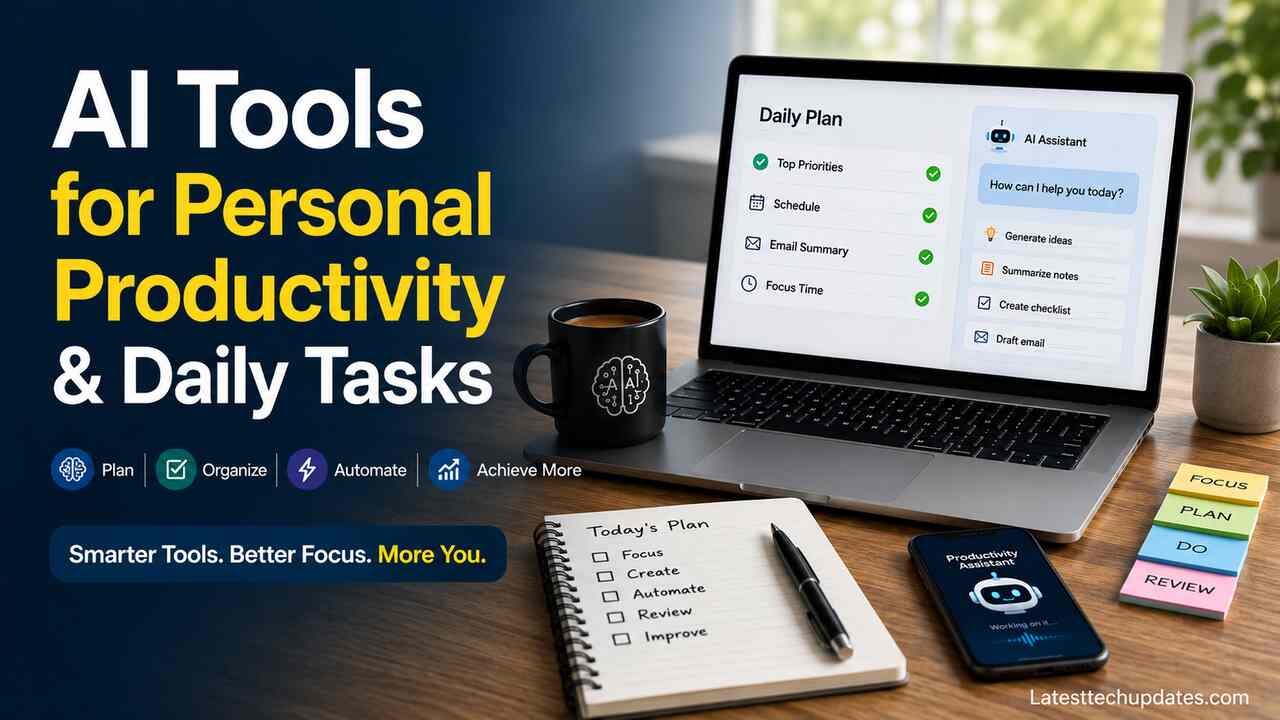
Artificial intelligence has moved from novelty to everyday assistant. The right AI tools for personal productivity and daily tasks can help you plan your day, organize information, write faster, manage email, summarize meetings, track habits, and reduce repetitive work. The value comes from using AI as a practical support system, not as a replacement for judgment, discipline, or clear priorities.
Choose One Main AI Assistant
Start with one central AI assistant for daily thinking, drafting, planning, and problem solving. ChatGPT, Google Gemini, Microsoft Copilot, and similar assistants can help with brainstorming, rewriting, summarizing, checklist creation, learning, and decision support.
A main assistant should handle four core jobs: answer questions, create drafts, break down tasks, and summarize information. For example, you can ask it to turn a messy idea into a daily plan, convert notes into action items, rewrite a message professionally, or compare options before making a purchase or schedule decision.
The best choice depends on your existing apps and workflow. Some assistants integrate deeply with productivity suites, while others provide greater flexibility for research, writing, and planning. Selecting one primary tool prevents unnecessary complexity and helps create a consistent productivity system.
| Daily Need | Best AI Tool Type | Example Use |
| Planning | AI chatbot | Turn goals into a schedule |
| AI writing assistant | Draft replies and summarize threads | |
| Meetings | AI note taker | Capture decisions and tasks |
| Research | AI search assistant | Summarize sources and compare options |
| Repetitive work | Automation tool | Move data between apps |
Build a Daily Planning Workflow
Use AI to turn your day into a clear plan before you start working. Give the tool your appointments, unfinished tasks, deadlines, energy level, and available hours. Ask it to produce a realistic schedule with priority blocks, buffer time, and a short list of must-finish items.
A useful planning prompt includes your fixed events, flexible tasks, estimated task length, and personal limits. For example, “Plan my day from 9 a.m. to 6 p.m. with two deep work blocks, one workout, three email sessions, and 30 minutes for admin.” This produces a usable structure instead of a vague to-do list.
AI planning works best when you review the output manually. The assistant can arrange tasks, but you decide what matters most. A strong daily plan has fewer priorities, clearer time blocks, and visible recovery time.
Organize Tasks with AI-Powered To-Do Lists
Use AI to convert scattered notes, messages, and ideas into a clean task system. Paste meeting notes, personal reminders, or project details into your assistant and ask for tasks grouped by urgency, project, deadline, and next action.
A task system should include task name, owner, due date, effort level, and status. For personal productivity, the owner is usually you, but effort level matters because a five-minute errand should not sit beside a three-hour strategy task without distinction.
AI can also help split large tasks into smaller steps. “Prepare tax documents” becomes “collect income records,” “download bank statements,” “scan receipts,” “check deductions,” and “send files to accountant.” This reduces mental friction because each task becomes easier to start.
Manage Email with AI Drafting and Summaries

Use AI to process email faster by summarizing long threads, drafting replies, adjusting tone, and extracting deadlines. Modern AI assistants can analyze conversations and present the most important information in a concise format.
Effective email prompts specify the sender, purpose, tone, and desired length. For example, “Write a polite reply that confirms receipt, asks for the missing invoice number, and says I will respond by Friday.” This produces a focused message that you can edit quickly.
AI email tools should not send sensitive or emotional replies without review. For difficult messages, use AI to draft three versions: direct, diplomatic, and concise. Then choose the version that protects the relationship and communicates the decision clearly.
Summarize Meetings and Calls
Use AI note-taking tools to capture decisions, commitments, objections, deadlines, and follow-up tasks. Meeting summaries save time because they convert conversation into usable records.
A good meeting summary includes attendees, agenda items, decisions, unresolved questions, and action items. The most valuable part is the action list because it turns discussion into responsibility. Ask the tool to separate “decided,” “pending,” and “assigned.”
For personal tasks, meeting summaries also reduce memory load. After a doctor appointment, school meeting, client call, or planning session, AI can turn notes into reminders, documents to collect, and dates to track.
Improve Writing for Daily Communication
Use AI writing tools to draft messages, reports, social posts, applications, proposals, and personal documents. The assistant can help you start faster, improve clarity, shorten long text, or change tone from casual to professional.
Strong writing prompts include audience, purpose, format, tone, and constraints. “Rewrite this message for my manager in a respectful tone, under 120 words, with a clear request at the end” gives better results than “make this better.”
AI writing should still sound like you. Read the output aloud, remove inflated phrases, check facts, and replace generic wording with specific details. The tool speeds up expression, but your judgment gives the message accuracy and personality.
Automate Repetitive Personal Tasks
Use automation tools to connect apps and reduce manual work. These platforms can link different services together so routine actions happen automatically.
Automation is useful for recurring tasks like saving email attachments to cloud storage, creating calendar events from forms, sending reminders, logging expenses, or moving tasks from notes into a project app. Start with one annoying task that repeats weekly.
A safe automation has clear triggers, predictable actions, and review points. For example, “When I label an email as Receipt, save the attachment to my Finance folder” is safer than “Automatically process every financial email.” Keep important approvals manual.
Use AI for Calendar and Time Blocking
Use AI to build a calendar that protects focus time. Give the assistant your working hours, deadlines, appointments, recurring responsibilities, and preferred energy rhythm. Ask it to place hard tasks during your highest-energy period.
Time blocking works because it assigns work to real hours. AI improves this process by estimating duration, adding buffers, and warning when your day is overloaded. A useful calendar has planning blocks, deep work blocks, communication windows, and personal reset time.
For daily life, AI can also plan errands by location, meal prep by available time, and family routines by school or work schedules. The output becomes more useful when you give practical limits such as commute time, budget, and energy level.
Capture Ideas with AI Notes
Use AI note apps to collect ideas, summarize long notes, and create organized knowledge from messy input. AI notes can help with personal projects, reading notes, study material, shopping research, health logs, and household planning.
A strong note workflow has three steps: capture quickly, summarize regularly, and convert important notes into actions. AI can identify recurring themes, create categories, and turn a long note into a checklist or outline.
This approach is especially useful for people who collect many ideas but rarely review them. AI can create weekly summaries, highlight unresolved items, and suggest next steps. The note system becomes a working memory instead of a digital storage space.
Research Decisions with AI Search Support
Use AI research tools to compare choices, summarize options, and create decision tables. This helps with travel planning, purchases, learning paths, home projects, software selection, and personal finance organization.
A good research prompt asks for criteria before conclusions. For example, “Compare three budgeting apps by price, bank sync, privacy, mobile experience, and export options.” This produces a structured view instead of a random recommendation.
Always verify important facts, especially prices, policies, health information, legal rules, and financial claims. AI can organize research quickly, but source checking protects you from outdated or incorrect information.
Create Personal Templates and Checklists
Use AI to build reusable templates for repeated tasks. Templates reduce decision fatigue because you do not have to recreate the same structure each time. Examples include weekly reviews, grocery lists, travel packing lists, invoice follow-ups, workout plans, and cleaning schedules.
A useful template includes sections, examples, and completion criteria. For example, a weekly review template can include wins, unfinished tasks, upcoming deadlines, budget check, health habits, and top three priorities for next week.
AI can also adapt templates to different situations. A travel checklist for a business trip differs from a family vacation checklist. A meal plan for weight loss differs from a meal plan for saving money. The template stays consistent while the details change.
Protect Privacy and Reduce Risk
Use AI carefully with private, financial, medical, legal, and workplace information. Do not paste sensitive data into tools unless you understand their privacy settings and organizational policies.
A safer workflow removes names, account numbers, addresses, passwords, confidential business details, and personal identifiers before asking for help. You can write, “Client A,” “Bank 1,” or “Project X” and still receive useful structure.
AI output can also contain mistakes. Review dates, numbers, names, instructions, and recommendations. The tool should assist your thinking, not replace verification.
| Risk Area | Safer Practice | Example |
| Personal data | Remove identifiers | Replace names with initials |
| Financial details | Avoid account numbers | Summarize the issue instead |
| Work documents | Follow company policy | Use approved enterprise tools |
| Health questions | Verify with professionals | Use AI for question lists |
| Legal topics | Seek qualified advice | Use AI for document organization |
Review and Improve Your AI Routine Weekly
Use a weekly review to measure whether AI is actually improving your life. Track saved time, reduced stress, completed tasks, fewer missed deadlines, and better communication. Remove tools that create more maintenance than value.
Ask three practical questions: “Which AI workflow saved time?”, “Which output needed too much editing?”, and “Which repeated task should I automate next?” These questions keep your system simple and useful.
The best productivity system is not the one with the most tools. It is the one you trust, maintain, and use consistently. AI should make daily life lighter, clearer, and more organized.
Conclusion
AI tools for personal productivity and daily tasks work best when they support a clear routine. Start with one main assistant, use it for planning and writing, add task organization, summarize meetings, automate repeated work, and protect your private information. When used with review and judgment, AI becomes a practical daily partner for saving time, reducing clutter, and making better decisions.
FAQs
Which AI tool is best for personal productivity?
The best tool depends on your existing apps, workflow, and daily needs. Choose one that integrates well with the tools you already use.
Can AI manage my daily schedule?
Yes. AI can create time blocks, prioritize tasks, and suggest realistic plans, but you should review the schedule before relying on it.
Are AI productivity tools safe for private information?
They can be useful, but you should avoid sharing passwords, account numbers, confidential work files, and sensitive personal details.
How can AI help with email?
AI can summarize long threads, draft replies, change tone, shorten messages, and extract action items or deadlines.
Should I use many AI tools at once?
No. Start with one main assistant and add tools only when they solve a repeated problem.
How often should I review my AI workflow?
Review it weekly. Keep the workflows that save time and remove the ones that add complexity.
