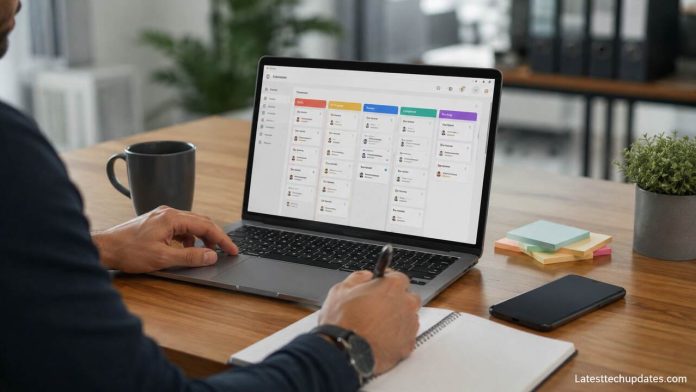


AI task management tools help professionals plan work, prioritize deadlines, automate routine actions, and coordinate projects with greater accuracy. These platforms combine task lists, calendars, reminders, workflow automation, and intelligent recommendations so individuals and teams can reduce manual planning and focus on high-value work. For busy professionals, the main value is simple: better decisions, fewer missed deadlines, and more consistent execution.
Define Your Daily Work Priorities
The first step is to identify the tasks that drive the most business value. AI task management tools work best when professionals separate urgent assignments, recurring duties, strategic projects, and low-value administrative work. This structure allows the system to recommend priority levels, schedule work blocks, and surface deadlines before they become problems.
A professional task system should include task names, due dates, owners, status labels, estimated effort, dependencies, and notes. These details help AI features understand workload patterns and recommend realistic next steps. For example, a sales manager may track follow-ups, proposal deadlines, client meetings, and reporting tasks inside one workspace.
Clear priorities also improve collaboration. When every task has a visible owner and deadline, teams reduce confusion and avoid duplicate work. AI can then analyze workload, flag bottlenecks, and suggest better sequencing across projects.
Choose the Right AI Task Management Platform
Selecting the right platform depends on your work style, team size, and integration needs. A solo consultant may need smart scheduling and reminders, while a project team may need dashboards, automation, document collaboration, and reporting.
Popular platforms often include features such as natural language task creation, automated due-date suggestions, calendar syncing, meeting summaries, workflow templates, and performance analytics. The best tool is not always the most complex one. It is the tool that matches your daily workflow and reduces friction.
| Professional Need | Useful AI Feature | Business Value |
| Managing deadlines | Smart reminders | Reduces missed work |
| Planning projects | Priority suggestions | Improves execution |
| Handling meetings | AI summaries | Saves review time |
| Coordinating teams | Workload analysis | Balances assignments |
| Repeating workflows | Automation rules | Reduces manual effort |
The right platform should also connect with email, calendars, chat tools, cloud storage, and project management systems. Integration matters because professionals lose time when tasks are scattered across disconnected apps.
Organize Tasks into Clear Workflows
After choosing a tool, professionals should organize tasks into repeatable workflows. A workflow gives every task a clear path from creation to completion. Common stages include backlog, in progress, waiting, review, and completed.
AI becomes more useful when workflows are consistent. The system can detect delays, recommend next actions, and identify repeated blockers. For example, a marketing team can use one workflow for campaign planning, another for content production, and another for reporting.
Workflows also create accountability. Each task moves through a defined process, so managers and team members can see progress without constant status meetings. This visibility helps professionals make faster decisions and maintain momentum.
Automate Repetitive Task Actions
AI task management tools are especially valuable when they automate repetitive work. Professionals can create rules that assign tasks, update statuses, send reminders, generate summaries, or notify stakeholders when conditions are met.
Automation saves time by removing small manual actions that interrupt deep work. A manager can automatically assign onboarding tasks when a new employee joins. A consultant can create recurring client review tasks. A finance team can trigger approval reminders before month-end close.
The key is to automate predictable actions without removing human judgment from important decisions. AI should support professionals by handling routine steps while leaving strategic choices to the person responsible for the outcome.
Use AI Scheduling to Protect Focus Time
AI scheduling helps professionals place tasks into realistic time blocks. Instead of creating a long to-do list, the tool can recommend when each task should happen based on deadlines, meeting load, estimated effort, and available calendar space.
This approach improves productivity because tasks compete for actual time, not just attention. A professional who has five meetings in one day should not expect to complete six hours of focused work. AI scheduling can highlight that mismatch and suggest adjustments.
Smart scheduling also supports better work-life balance. When the tool recognizes overload, it can recommend rescheduling, delegation, or deadline changes. This makes planning more realistic and reduces last-minute pressure.
Track Progress with Intelligent Dashboards
Dashboards help professionals understand what is done, what is delayed, and what needs attention. AI-enhanced dashboards can highlight risks, summarize project health, and identify patterns in team performance.
A strong dashboard should show overdue tasks, upcoming deadlines, workload by person, project status, completion rates, and blocked items. These signals help professionals act before small problems become major delays.
| Dashboard Metric | Meaning | Recommended Action |
| Overdue tasks | Work missed its deadline | Reassign or reschedule |
| Blocked tasks | Progress depends on another action | Remove the blocker |
| High workload | One person has too much work | Balance assignments |
| Low completion rate | Tasks are not moving consistently | Review priorities |
| Upcoming deadlines | Important work is approaching | Confirm readiness |
Dashboards also help leaders communicate clearly. Instead of asking for manual updates, managers can review live progress and focus conversations on decisions, risks, and next steps.
Improve Team Collaboration with AI Support

AI task management tools improve collaboration by keeping communication connected to the work itself. Comments, files, decisions, meeting notes, and task updates can stay in one place, reducing the need to search through emails and chat threads.
AI can summarize long discussions, extract action items, and recommend task owners after meetings. This helps teams move from conversation to execution faster. A project meeting becomes more valuable when the tool automatically captures decisions and turns them into assigned tasks.
Better collaboration also depends on clear permissions and shared standards. Teams should agree on naming conventions, status labels, due-date rules, and update expectations. AI can assist, but consistency still comes from team discipline.
Review Performance and Refine Your System
Professionals should review their task management system regularly. AI tools can reveal which tasks take longer than expected, which projects create repeated delays, and which team members may need support.
A weekly review can include completed tasks, missed deadlines, postponed work, workload balance, and upcoming priorities. This habit turns task management from a static list into a continuous improvement system.
Refinement is important because professional work changes. A workflow that fits a small team may not fit a growing department. AI insights help users adjust processes, remove unnecessary steps, and improve planning accuracy over time.
Protect Data Security and Professional Privacy
AI task management tools often process sensitive information, including client details, internal deadlines, financial notes, legal tasks, employee data, and strategic plans. Professionals should review security settings before adopting any platform.
Important safeguards include access controls, encryption, audit logs, data retention settings, admin permissions, and compliance support. Teams should also decide what information should not be entered into AI tools, especially when handling confidential client or company data.
Security is not only a technical issue. It is also a workflow issue. Professionals should create clear rules for sharing documents, assigning permissions, and using AI-generated summaries. Responsible use protects both productivity and trust.
Train Your Team to Use AI Effectively
AI task management tools deliver better results when users understand how to create clear tasks, write useful instructions, and maintain accurate project data. Poor inputs lead to poor recommendations.
Training should cover task naming, deadline setting, ownership rules, automation basics, dashboard use, and review habits. Professionals should also learn how to evaluate AI suggestions instead of accepting them blindly.
A well-trained team uses AI as a planning assistant, not as a replacement for responsibility. The tool can recommend priorities, but professionals still decide what matters most.
Conclusion
AI task management tools give professionals a smarter way to organize work, manage priorities, automate routine actions, and improve team coordination. Their value comes from combining structured task data with intelligent assistance, allowing users to plan realistically and execute consistently.
The best results come from clear priorities, simple workflows, useful integrations, responsible automation, and regular review. When professionals use these tools with discipline, AI task management becomes more than a productivity trend. It becomes a reliable system for better work.
FAQ’s
What are AI task management tools?
AI task management tools are software platforms that use intelligent features to help users create, organize, prioritize, schedule, and track tasks.
Who should use AI task management tools?
Professionals, managers, consultants, remote teams, executives, freelancers, and project teams can use them to manage deadlines and improve productivity.
Do AI task management tools replace project managers?
No. They support planning, tracking, and automation, but human judgment is still needed for strategy, leadership, and decision-making.
What features matter most?
Smart scheduling, task prioritization, automation, integrations, dashboards, reminders, collaboration tools, and security controls matter most.
Are AI task management tools safe for business use?
They can be safe when organizations review security settings, manage permissions, protect sensitive data, and follow internal privacy rules.