

AI tools for team collaboration and planning help teams organize work, reduce manual updates, summarize discussions, assign tasks, forecast risks, and keep shared knowledge accessible. Modern teams use these platforms to connect meetings, documents, project boards, calendars, chat apps, and decision records into one working system. Microsoft Planner uses Microsoft 365 Copilot to support project planning and status awareness, Asana AI supports summaries and task creation, and Notion AI supports workspace search, writing, meeting notes, and workflow automation.
Define Team Goals and Collaboration Needs
Start by identifying the work your team performs every week. A marketing team may need campaign briefs, content calendars, approval workflows, and performance summaries. A product team may need sprint planning, feature prioritization, bug triage, and release notes. A leadership team may need meeting summaries, decision logs, dashboards, and risk reports.
The right AI collaboration tool should match your team’s communication style, project structure, and decision process. Core needs usually include task management, shared documents, meeting capture, file search, workflow automation, project reporting, and cross-functional visibility. Teams should also review access controls, integrations, data privacy, and user permissions before adopting a platform.
This step prevents tool overload. AI works best when it improves an existing workflow instead of replacing every habit at once. A team that already uses Microsoft Teams may gain value from Copilot inside Microsoft 365, while a team that relies on flexible documentation may prefer Notion AI. Teams that manage complex projects may benefit from Asana AI or similar work management systems.
Choose a Central Workspace for Knowledge Sharing
Select one place where important information lives. This workspace should store project briefs, meeting notes, strategy documents, task updates, policies, templates, and decision records. When knowledge is scattered across chat threads, inboxes, and personal drives, AI cannot produce reliable answers.
A strong AI workspace should support document creation, internal search, permissions, comments, database views, and integrations with tools such as Slack, Google Drive, GitHub, Teams, or calendars. Many modern AI workspaces combine search, automation, docs, projects, meeting notes, and knowledge bases in a unified environment.
Centralization also improves onboarding. New employees can ask questions, find past decisions, review project history, and understand team standards faster. The workspace becomes more valuable as teams keep documents updated and connect them to daily planning.
| Team Need | Useful AI Capability | Practical Result |
| Meeting follow-up | Automatic summaries and action items | Fewer missed tasks |
| Project planning | Task suggestions and timelines | Faster kickoff |
| Knowledge sharing | Workspace search | Quicker answers |
| Reporting | Status summaries | Less manual reporting |
| Documentation | Drafting and editing support | Cleaner team documents |
Connect AI Tools to Daily Communication Channels
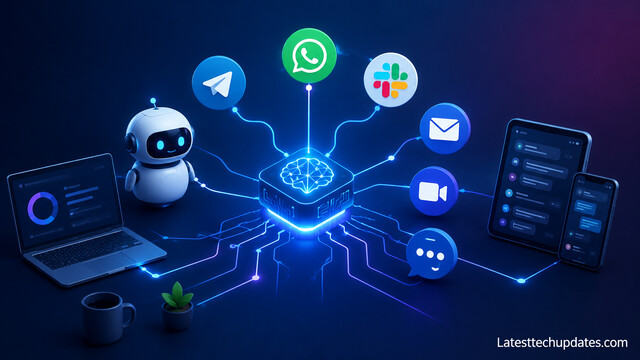
Add AI support where conversations already happen. Teams often lose time converting chat discussions into tasks, decisions, and updates. AI assistants can summarize long threads, extract action items, draft responses, and surface relevant documents.
Communication channels should not become the final storage location for important decisions. Use AI to move useful information from conversations into project boards, docs, or decision logs. This keeps chat fast while preserving accountability.
Teams that connect AI across messaging platforms, email systems, and project management software create smoother workflows. Employees spend less time searching for information and more time executing meaningful work.
Automate Meeting Notes and Action Items
Use AI meeting assistants to capture decisions, next steps, blockers, and owners. Meetings create value when outcomes are clear. Without structured notes, teams often repeat conversations or forget commitments.
A useful AI meeting workflow includes agenda preparation, live transcription, summary generation, action item extraction, and automatic sharing. AI can transform lengthy discussions into concise records that are easier to review and follow.
Teams should still review AI-generated notes before treating them as final. The meeting owner should confirm decisions, deadlines, and responsibilities. AI reduces administrative work, but human review protects accuracy.
Use AI to Build Project Plans and Task Structures
Create project plans with AI by giving the tool clear inputs: goal, deadline, team members, dependencies, budget limits, and required deliverables. The AI can suggest milestones, task groups, owners, timelines, and risks.
Project management platforms with AI can support task creation, editing, summaries, and routine automation. These capabilities help teams move from planning to execution more quickly while maintaining consistency across projects.
AI-generated plans should be treated as a first draft. Project managers should refine dependencies, validate resource capacity, and confirm deadlines with stakeholders. The strongest planning process combines machine-generated structure with team judgment.
Create Clear Ownership and Approval Workflows
Assign every major task to one owner. AI can suggest owners based on role, workload, or past activity, but accountability must remain visible to the team. Clear ownership reduces duplicate work and prevents tasks from sitting unresolved.
Approval workflows should include the reviewer, required materials, deadline, and decision rule. For example, a content workflow may move from draft to editor review, legal review, design, final approval, and publication. AI can summarize feedback, detect missing fields, and remind owners about pending approvals.
This structure supports planning at scale. When workflows are consistent, AI can identify delays, recurring blockers, and overloaded team members. Teams gain better visibility without asking everyone for manual updates.
Compare AI Collaboration Tools Before Adoption
Evaluate tools based on your current work environment, not only feature lists. A tool that fits your existing systems will usually deliver faster adoption than a platform that requires major behavior change.
| Tool Category | Best Fit | Common AI Support |
| Work management | Projects, tasks, approvals | Task creation, summaries, status updates |
| Document workspace | Knowledge bases, notes, briefs | Writing, search, meeting notes |
| Communication suite | Chat, email, meetings | Thread summaries, drafting, meeting recap |
| Whiteboard tool | Brainstorming, workshops | Idea grouping, diagram support |
| Enterprise search | Large knowledge systems | Answers across connected apps |
Different platforms focus on different collaboration styles. Some prioritize documentation and knowledge management, while others emphasize project tracking, workflow automation, or enterprise communication.
Set Rules for Privacy, Accuracy, and Permissions
Create rules before your team relies on AI for planning. Sensitive customer information, financial records, legal documents, employee data, and unreleased strategy should have clear access limits.
Permissions should match roles. A contractor may need access to one project board but not the full company knowledge base. A manager may need reporting visibility but not private HR documents.
Accuracy rules matter as much as privacy rules. Teams should label AI drafts, review summaries, confirm facts, and avoid treating AI output as an official decision without human approval. This keeps collaboration efficient and responsible.
Train Teams to Prompt AI with Better Inputs
Teach team members to give AI complete instructions. A weak prompt creates vague output. A strong prompt includes the audience, goal, format, source material, constraints, deadline, and desired tone.
For planning, a useful prompt might ask the AI to create a six-week launch plan with owners, dependencies, risks, and weekly milestones. For collaboration, a prompt might ask the AI to summarize a meeting into decisions, open questions, blockers, and assigned next steps.
Prompt quality improves over time when teams save reusable templates. Standard prompts for project kickoff, meeting recap, sprint review, stakeholder update, and post-launch analysis help teams create consistent outputs.
Track Performance and Improve the Workflow
Measure the impact of AI tools after adoption. Useful metrics include meeting follow-up completion, planning time, project delay frequency, documentation quality, response time, and employee satisfaction.
Teams should review whether AI reduces manual work or simply adds another tool to manage. If people still copy information between apps, the workflow needs better integration. If summaries are inaccurate, the source material or review process needs improvement.
AI collaboration is not a one-time setup. Teams should update templates, remove unused automations, improve permissions, and refine reporting dashboards as work changes.
Conclusion
AI tools for team collaboration and planning help teams move from scattered communication to structured execution. The best results come from clear goals, one reliable workspace, connected communication channels, automated meeting notes, strong project plans, visible ownership, and careful governance. When teams combine AI support with disciplined workflows, they plan faster, communicate clearly, and deliver work with fewer missed details.
FAQ’s
Are AI tools useful for small teams?
Yes. Small teams can use AI for meeting notes, task planning, document drafting, and status updates without hiring extra operations support.
Which AI tool is best for project planning?
The best choice depends on your current workflow. Microsoft Planner with Copilot fits Microsoft 365 teams, Asana AI fits structured work management, and Notion AI fits document-heavy collaboration.
Can AI replace project managers?
No. AI can draft plans, summarize updates, and identify risks, but project managers still handle judgment, prioritization, stakeholder alignment, and accountability.
How should teams start using AI collaboration tools?
Start with one workflow, such as meeting summaries or project status updates. Improve that workflow before expanding AI into planning, reporting, and automation.
Are AI-generated meeting notes reliable?
They are useful as drafts. Teams should review names, dates, decisions, and action items before treating notes as final.
