
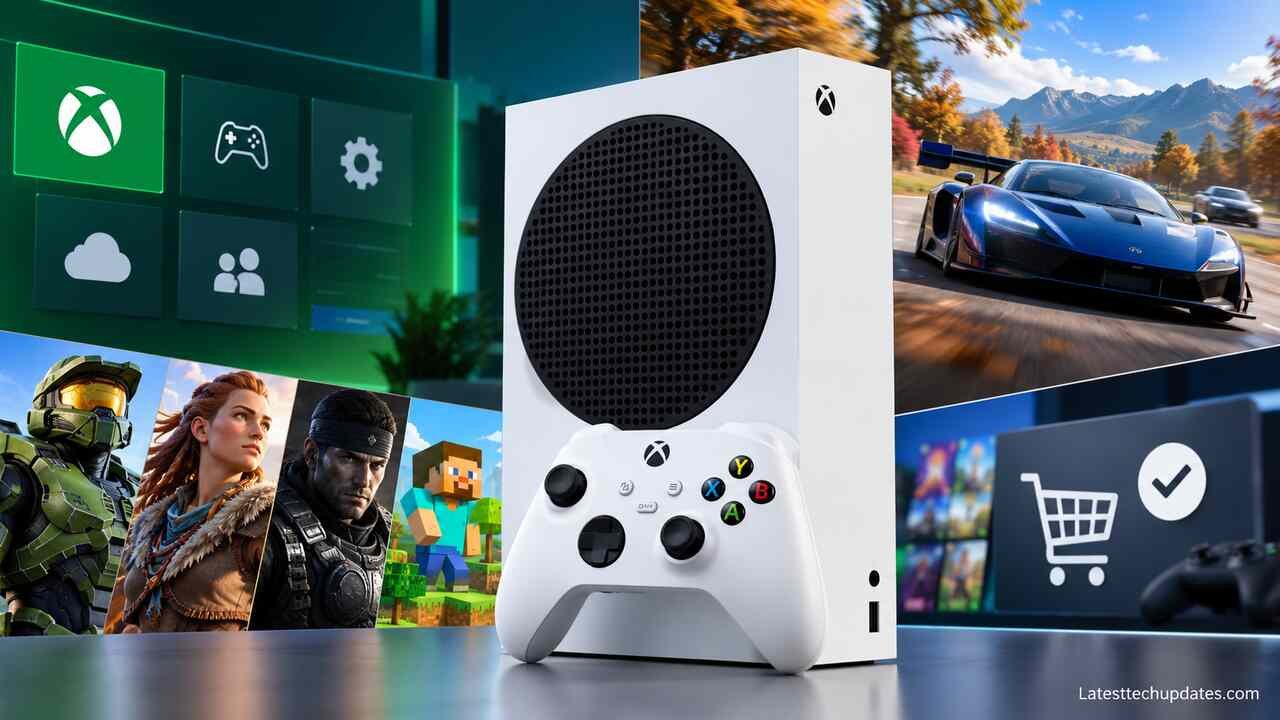
The Xbox Series S is Microsoft’s compact, all-digital gaming console designed for players who want access to modern Xbox games without paying the higher price of a premium gaming system. It supports fast SSD storage, up to 120 FPS in compatible games, ray tracing in supported titles, and access to a large library of digital games.
What Is the Xbox Series S?
The Xbox Series S is a ninth-generation home video game console developed by Microsoft and released on November 10, 2020, alongside the Xbox Series X. It is part of the Xbox ecosystem, which includes Xbox Game Pass, Xbox Cloud Gaming, digital game purchases, and backward compatibility with selected older Xbox titles.
The console focuses on affordable access to current-generation gaming rather than maximum graphical performance. Its small design makes it suitable for bedrooms, living rooms, student accommodations, and gaming setups with limited space.
The Xbox Series S is available in different storage configurations, including 512GB and 1TB models. Both offer the same fundamental gaming performance, although available colors and configurations vary by model and market.
Xbox Series S Specifications
| Feature | Xbox Series S |
|---|---|
| Manufacturer | Microsoft |
| Original release date | November 10, 2020 |
| Processor | Custom AMD Zen 2, 8-core CPU |
| Graphics | Custom AMD RDNA 2 GPU, 4 TFLOPS |
| RAM | 10GB GDDR6 |
| Internal storage | 512GB or 1TB custom NVMe SSD |
| Target gaming resolution | 1440p |
| Maximum supported frame rate | Up to 120 FPS |
| Video output | Up to 4K |
| Ray tracing | Supported in compatible games |
| Optical disc drive | Not included |
| Backward compatibility | Supported Xbox One and selected Xbox 360 and original Xbox games |
| Connectivity | HDMI, USB 3.1, Ethernet, Wi-Fi |
| Expansion | Compatible Xbox storage expansion cards |
The specifications reveal an important distinction: the console can output a 4K video signal, but that does not mean every game runs at native 4K resolution.
Its actual gaming resolution and frame rate depend on the game, its graphics settings, and the optimization provided by the developer.
Xbox Series S Gaming Performance
The Xbox Series S delivers a substantial improvement over older consoles such as the original Xbox One, particularly in loading speeds, processor performance, and support for modern game features.
Its custom AMD Zen 2 processor and solid-state storage help games load faster and support more advanced game environments. However, graphics performance is lower than the Xbox Series X because the Series S has a smaller GPU and less memory.
Resolution and Graphics Quality
Microsoft designed the Xbox Series S primarily around 1440p gaming, although actual rendering resolutions vary.
Some games run at 1080p, others target 1440p, and certain titles can render at higher resolutions. More demanding games may use dynamic resolution scaling to maintain stable performance.
On a 4K television, the Series S can upscale its output to 4K. This allows games to fill the screen, but upscaling does not automatically provide the same detail as native 4K rendering.
For gamers using a 1080p television or a 1440p monitor, the difference between the Series S and more expensive consoles may be less noticeable than it is on a large 4K display.
Does Xbox Series S Support 120 FPS?
Yes, the Xbox Series S supports gaming at up to 120 frames per second, but only in compatible titles.
Higher frame rates can improve motion clarity and responsiveness, particularly in competitive games such as first-person shooters and racing games.
However, three conditions must be met:
-
The game must offer a 120 FPS mode on Xbox Series S.
-
The connected television or monitor must support a 120Hz refresh rate.
-
The console’s display settings must be configured correctly.
A game advertised as supporting 120 FPS on Xbox Series X does not necessarily offer the same mode on Series S.
Players should check the supported performance modes for each game before purchasing a high-refresh-rate monitor specifically for the console.
Ray Tracing and Visual Effects
The Xbox Series S supports hardware-accelerated ray tracing, a graphics technique used to simulate realistic lighting, reflections, and shadows.
However, ray tracing is not available in every game. Developers may disable certain ray-tracing effects on Series S to maintain acceptable performance.
The console also supports features such as variable refresh rate (VRR), auto low-latency mode (ALLM), and HDR output with compatible displays.
These technologies can improve visual smoothness and responsiveness without requiring the console to render every game at maximum resolution.
Xbox Series S vs Xbox Series X: Key Differences
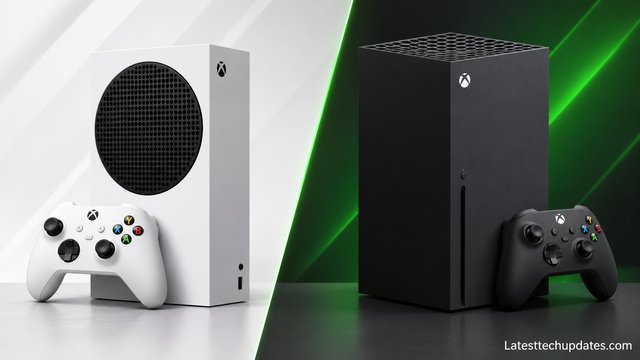
The Xbox Series S and Xbox Series X belong to the same console family and support the same core generation of Xbox games. Their main differences involve graphics power, memory, storage options, and physical disc compatibility.
| Feature | Xbox Series S | Xbox Series X |
|---|---|---|
| CPU architecture | AMD Zen 2 | AMD Zen 2 |
| GPU performance | 4 TFLOPS | 12 TFLOPS |
| RAM | 10GB GDDR6 | 16GB GDDR6 |
| Main gaming target | 1440p | 4K |
| Maximum supported FPS | 120 | 120 |
| Storage options | 512GB, 1TB | 1TB and 2TB configurations |
| Disc drive | No | Available on disc-drive models |
| Physical game discs | Not supported | Supported on disc-drive models |
| Console size | Smaller | Larger |
| Graphics capability | Lower | Higher |
The Xbox Series X offers greater graphics processing power, allowing games to run at higher resolutions, improved visual settings, or more consistent frame rates.
The Series S provides a more affordable entry point into the same gaming generation.
Which Console Is Better for 1080p Gaming?
For someone using a 1080p television, the Xbox Series S is often sufficient.
It can deliver sharp visuals and responsive gameplay without requiring the extra graphics power of the Series X.
The Series X may still provide better textures, effects, frame-rate stability, and image quality, even on a 1080p display. However, the difference may not justify the additional cost for every player.
Which Console Is Better for 4K Gaming?
The Xbox Series X is generally the better choice for gamers who prioritize 4K resolution and high graphical fidelity.
The Series S can connect to a 4K television and display compatible games and media, but it is not designed to deliver native 4K rendering consistently across demanding modern games.
Players with large 4K televisions who care about fine visual details may benefit more from the Series X.
Xbox Series S Storage: Is 512GB Enough?
Storage capacity is one of the most important factors when buying an Xbox Series S.
The original model includes a 512GB SSD, but the full advertised capacity is not available for game installations because the operating system and reserved files occupy part of the drive.
The original 512GB model typically provides approximately 364GB of usable storage, although available space can vary with system software.
Modern games can occupy tens or even more than 100GB each. As a result, players who regularly install large games may fill the internal storage quickly.
How Many Games Can Xbox Series S Hold?
The number of games depends on their installation sizes.
Consider this hypothetical example:
| Game category | Example installation size | Games fitting in approximately 364GB |
|---|---|---|
| Small indie games | 5GB | Around 72 |
| Medium-sized games | 25GB | Around 14 |
| Large games | 60GB | Around 6 |
| Very large games | 100GB | Around 3 |
These figures are illustrative rather than fixed game counts. Updates, downloadable content, and storage requirements change over time.
A player who mainly enjoys smaller indie titles may find 512GB sufficient. Someone who regularly plays large multiplayer releases may prefer the 1TB model.
Can You Expand Xbox Series S Storage?
Yes. The console supports storage expansion through compatible expansion cards and external USB drives.
However, these options work differently.
Xbox Storage Expansion Cards
Compatible expansion cards connect through the dedicated expansion slot and provide high-speed storage designed to run Xbox Series X|S optimized games directly.
External USB Drives
External USB SSDs and hard drives can store games, screenshots, and other supported content.
Most games optimized specifically for Xbox Series X|S cannot run directly from ordinary USB storage. They generally need to be transferred to the internal SSD or a compatible expansion card before playing.
Many backward-compatible Xbox One, Xbox 360, and original Xbox games can run directly from USB storage.
This distinction matters because an inexpensive external hard drive may provide additional storage without providing the same functionality as an official-compatible expansion card.
Xbox Series S Games and Backward Compatibility
The Xbox Series S supports a broad library of games, including titles developed for Xbox Series X|S and many games from earlier Xbox generations.
Players can purchase digital games through the Microsoft Store or access eligible titles through Xbox Game Pass subscriptions.
Popular games available on the platform include:
-
Forza Horizon 5
-
Halo Infinite
-
Microsoft Flight Simulator
-
Sea of Thieves
-
Minecraft
-
Fortnite
-
Rocket League
-
Elden Ring
-
Cyberpunk 2077
-
Starfield
Game availability, editions, performance modes, and subscription inclusion may change.
Can Xbox Series S Play Xbox One Games?
Yes. The Xbox Series S supports most Xbox One games that are available digitally and compatible with the system.
It also supports selected Xbox 360 and original Xbox titles through Microsoft’s backward compatibility program.
However, not every older Xbox game is compatible.
Physical Xbox One or Xbox 360 discs cannot be used because the Series S has no optical disc drive.
If you own a large physical game collection, this limitation can significantly affect the console’s long-term value.
Are Xbox Series X Games Compatible With Series S?
Games released for both Xbox Series X and Series S are designed to work across the two consoles.
Developers may adjust rendering resolution, texture quality, visual effects, or performance modes to accommodate the hardware differences.
Some features available on Series X may be reduced or absent on Series S, but players still have access to the same core game releases when both consoles are supported.
Xbox Game Pass on Xbox Series S
Xbox Game Pass is a subscription service that provides access to a rotating library of games, depending on the subscription plan.
Because the Xbox Series S is entirely digital, Game Pass can be a convenient way to discover games without purchasing each one separately.
However, the subscription is optional. Players can buy digital games individually and play free-to-play titles without maintaining a Game Pass membership.
What Does Xbox Game Pass Include?
Available benefits depend on the plan and region. These may include:
- Access to a library of downloadable games
- Selected new releases
- Online console multiplayer
- Cloud gaming access
- Member discounts and additional benefits
Not every plan includes every feature, and the game catalog can change.
Before subscribing, compare the current plan benefits with the games you actually want to play.
Is Game Pass Worth It for Series S?
Game Pass can provide good value for players who regularly try different games.
For example, someone who plays several subscription-included titles throughout the year may spend less than they would buying those games individually.
However, the value changes if the player only enjoys one or two specific games, especially when those titles are not included in the subscription.
A useful approach is to compare the annual subscription cost against the purchase prices of games you realistically expect to play.
Remember that access to most subscription games ends when the subscription expires or when a title leaves the catalog, unless you purchase the game separately.
Xbox Series S Price and Total Ownership Cost
The Xbox Series S originally launched at $299 for the 512GB model in the United States. However, that historical launch price should not be confused with its current retail price.
Prices vary by country, retailer, storage configuration, and availability. Discounts, refurbished consoles, and secondhand units can also significantly affect the amount buyers pay.
When comparing consoles, the purchase price alone does not tell the whole story.
Additional Costs to Consider
The Xbox Series S is a digital-only console, so players may need to budget for games, subscriptions, and storage upgrades.
For example, consider a hypothetical first-year gaming budget:
| Expense | Example cost |
|---|---|
| Xbox Series S console | $350 |
| Additional controller | $55 |
| Two digital games | $100 |
| Optional subscription | $120 |
| Total | $625 |
These amounts are illustrative, not verified current retail prices or subscription rates.
A player who already owns compatible controllers, primarily plays free-to-play games, or avoids subscriptions could spend considerably less.
Conversely, purchasing several full-priced digital games and a storage expansion card could make the overall investment substantially higher.
Is the 1TB Xbox Series S Worth the Extra Money?
The 1TB model offers greater storage capacity without improving CPU or GPU performance.
It is particularly useful for players who want to keep multiple large games installed simultaneously.
To decide between the two versions, compare the price difference against the cost of purchasing a compatible storage expansion card later.
If the 1TB console costs only slightly more, it may be the better long-term purchase. If the 512GB version is heavily discounted and you only play a few games at a time, the smaller model may offer better value.
Xbox Series S Design, Connectivity, and Accessories
The Xbox Series S has a compact rectangular design that occupies less space than many traditional gaming consoles.
Its dimensions are approximately 27.5 × 15.1 × 6.5 centimeters, making it suitable for smaller entertainment units and desktop gaming setups.
The console includes a large circular ventilation grille. Proper airflow around this area helps the system maintain normal operating temperatures.
Ports and Wireless Connectivity
The Xbox Series S includes:
-
One HDMI 2.1 output
-
Three USB 3.1 Gen 1 ports
-
One Gigabit Ethernet port
-
A dedicated storage expansion slot
-
Dual-band Wi-Fi connectivity
-
Xbox Wireless connectivity for compatible accessories
The console does not include a standard Bluetooth audio connection for pairing ordinary Bluetooth headphones directly.
For wireless audio, players generally need an Xbox-compatible headset or another supported audio solution.
What Comes in the Xbox Series S Box?
A standard new Xbox Series S package includes the console, an Xbox Wireless Controller, an HDMI cable, and a power cord.
Batteries for the controller are typically included, although packaging may vary by region or bundle.
Game Pass subscriptions, additional controllers, rechargeable battery packs, and storage expansion cards are generally separate purchases unless specifically included in a promotional package.
Can You Use Xbox One Controllers?
Yes. Compatible Xbox One controllers and many Xbox One accessories work with the Xbox Series S.
This compatibility can reduce upgrade costs for players moving from an older Xbox console.
However, accessory support varies. Specialized peripherals, particularly some third-party devices, should be checked individually for compatibility.
How to Set Up Xbox Series S for the Best Gaming Experience
Setting up the Xbox Series S is straightforward, but several configuration choices can improve performance, picture quality, and download reliability.
Step 1: Connect the Console to Your Display
Connect the Xbox Series S to a television or monitor using the included HDMI cable.
Choose an HDMI input that supports the display features you want to use, such as 120Hz refresh rates or variable refresh rate.
Make sure the console has adequate ventilation and avoid placing objects over its main exhaust grille.
Step 2: Complete the Initial Setup
Turn on the console and follow the on-screen instructions.
You will need an internet connection and a Microsoft account to complete the setup and access digital services.
The Xbox mobile app can assist with parts of the setup process.
Step 3: Configure Resolution and Refresh Rate
Open:
Settings > General > TV & display options
Select the appropriate resolution and refresh rate for your display.
For a compatible 120Hz monitor, choose 120Hz when available. If the option does not appear, check the HDMI connection, display settings, and supported video modes.
Enabling variable refresh rate on a compatible display may also reduce visible screen tearing.
Step 4: Install Games and Manage Storage
Download games from your owned digital library or the Xbox Store.
If you subscribe to Game Pass, you can also install games included with your membership.
Check the installation size before downloading particularly large titles, especially if you have the 512GB console.
Step 5: Optimize Your Network Connection
A wired Ethernet connection generally provides more consistent network performance than Wi-Fi.
If Ethernet is unavailable, use a strong wireless connection and position the console where signal interference is limited.
Network stability matters for multiplayer gaming, downloads, and cloud-based features.
Xbox Series S Advantages and Disadvantages
The Xbox Series S offers an appealing combination of compact design, modern gaming features, and access to the Xbox ecosystem. However, its lower hardware specifications and digital-only format introduce meaningful trade-offs.
Advantages
Affordable entry into modern console gaming: The Series S is positioned below the Series X in Microsoft’s console lineup.
Fast loading times: Its NVMe SSD and Xbox Velocity Architecture significantly improve loading compared with older mechanical hard-drive-based consoles.
Compact design: The console fits comfortably into smaller gaming setups.
Modern game compatibility: It supports Xbox Series X|S releases without requiring the more powerful Series X hardware.
Quick Resume: Compatible games can be suspended and resumed without restarting from the beginning.
Digital game ecosystem: Players can access purchased games, subscription libraries, and free-to-play titles from the console.
Low setup complexity: Unlike a gaming PC, the console does not require selecting individual hardware components or managing graphics drivers.
Disadvantages
No disc drive: Physical games, used discs, and Blu-ray movies cannot be played.
Limited base storage: The 512GB version can fill quickly when installing large games.
Lower graphics performance: Some titles run at reduced resolutions, visual settings, or frame rates compared with Series X.
Potential expansion costs: Compatible high-speed storage expansion cards can add significantly to the overall purchase cost.
Dependence on digital distribution: Purchasing and downloading games requires access to supported digital storefront services.
Fewer performance options: Some games offer fewer graphics modes on Series S than on more powerful consoles.
These limitations do not make the Series S a poor console. They simply mean its value depends heavily on how the buyer intends to use it.
Xbox Series S vs PS5 Digital Edition
The Xbox Series S and PlayStation 5 Digital Edition both support digital game purchases, but they target different performance and pricing levels.
The PS5 Digital Edition generally offers stronger graphics performance, while the Series S focuses on a lower-cost, compact gaming experience.
| Comparison | Xbox Series S | PS5 Digital Edition |
|---|---|---|
| Graphics performance | Lower | Higher |
| Main gaming focus | 1080p to 1440p | Higher-resolution gaming, including 4K |
| Maximum supported frame rate | Up to 120 FPS | Up to 120 FPS |
| Game ecosystem | Xbox | PlayStation |
| Subscription service | Xbox Game Pass | PlayStation Plus |
| Physical disc support | No | Depends on model and compatible disc-drive options |
| Storage expansion | Xbox-compatible expansion cards | Compatible internal M.2 SSD upgrades |
| Size | More compact | Larger |
| General market position | Budget-oriented | Higher-performance |
Which Is Better for Exclusive Games?
The answer depends on which games you want to play.
Xbox provides access to Microsoft gaming franchises and its broader digital ecosystem, while PlayStation offers its own first-party games and platform-specific experiences.
Game availability is not necessarily permanent or exclusive. Some titles eventually release on additional platforms.
Before purchasing either console, make a shortlist of five games you most want to play and confirm that each is available on your preferred system.
This simple check is often more useful than comparing technical specifications alone.
Is Xbox Series S Worth Buying in 2026?
The Xbox Series S can still be worth buying in 2026, particularly for players who prioritize affordability, compact design, and access to modern Xbox games.
However, because the hardware launched in 2020, buyers should evaluate its age, current pricing, and performance limitations rather than assuming it offers the same value it did at launch.
Who Should Buy Xbox Series S?
The console is particularly suitable for:
-
Casual gamers who mainly play a few favorite titles.
-
Students who want a compact gaming system.
-
Families purchasing a console for shared entertainment.
-
Players using 1080p televisions or 1440p monitors.
-
Gamers who prefer digital purchases over physical discs.
-
Existing Xbox users with a compatible digital game library.
-
Buyers who want a secondary console alongside a gaming PC or another system.
For these users, the Series S can provide access to a broad range of games without requiring the cost of higher-end hardware.
Who Should Avoid Xbox Series S?
The console may be less suitable for gamers who prioritize native 4K graphics, the highest available visual settings, or physical game collections.
Players who frequently install numerous large games may also find the 512GB model restrictive.
Those who want maximum performance in demanding new releases should compare the Series S against more powerful consoles before deciding.
A Practical Buying Decision
Consider three common situations.
Scenario 1: A casual gamer with a 1080p television
The Xbox Series S is a sensible option because the display does not require native 4K output. The buyer can prioritize games and accessories instead of spending more on graphics hardware.
Scenario 2: A competitive gamer with a 120Hz monitor
The Series S can be suitable if the player’s favorite games offer 120 FPS modes on this specific console. Compatibility should be verified individually.
Scenario 3: A gamer with a large 4K television and an extensive physical collection
The Xbox Series X with a disc drive is likely a better fit because it offers stronger graphics capabilities and physical media support.
The best console is therefore not necessarily the most powerful one. It is the system that supports the games, display, and purchasing habits of the individual player.
Buying a Used Xbox Series S: What to Check
A secondhand Xbox Series S can offer additional savings, but buyers should inspect the console carefully before completing a purchase.
Cosmetic condition alone does not confirm that a gaming console functions correctly.
Check Console Functionality
Ask the seller to demonstrate the console starting normally and reaching the Xbox dashboard.
Test a game if possible. Watch for unexpected shutdowns, display problems, unusual fan noises, or overheating warnings.
A console that starts successfully but crashes during gameplay may have underlying hardware problems.
Test the Controller and Ports
Confirm that the controller connects correctly and that its buttons, triggers, and analog sticks function normally.
Analog stick drift can affect gameplay and may require controller repair or replacement.
Also check the HDMI output, USB ports, Ethernet connection, and power connection.
Verify Online Connectivity
Connect the console to the internet and confirm that it can access Xbox network services.
This is particularly important because the Series S relies on digital distribution.
A console affected by an enforcement restriction may have limitations that are not obvious during an offline demonstration.
Confirm Storage and Accessories
Open the console’s storage settings to confirm whether it is the 512GB or 1TB model.
Check that the package includes the controller, HDMI cable, and power cord.
Ask whether the console has been repaired, opened, or modified.
Do not pay extra for digital games supposedly included through the seller’s personal account. Account access can be revoked, and account transfers may violate platform rules.
Compare Used and New Prices
A used console should offer enough savings to compensate for reduced warranty protection, wear, and potential repair costs.
For example, if a used unit costs only slightly less than a new console with a valid warranty, the new unit may represent better value.
The price difference matters more than the used-console discount percentage alone.
Conclusion
The Xbox Series S remains a practical gaming console in 2026 for players who want modern Xbox games, fast loading times, and digital gaming convenience without investing in higher-end hardware.
Its strongest advantages are its compact size, SSD performance, access to the Xbox gaming ecosystem, and compatibility with current-generation titles. The biggest compromises are its lack of a disc drive, limited base storage, and lower graphics performance compared with the Xbox Series X.
For players using 1080p or 1440p displays who primarily purchase digital games, the Series S can offer strong value at the right price. Those seeking premium 4K graphics, physical game support, or greater performance headroom should consider the Xbox Series X instead.
Before buying, compare the current prices of the 512GB and 1TB versions, check compatibility with your favorite games, and calculate any additional storage or subscription costs. That will provide a much clearer picture of whether the Xbox Series S fits your gaming needs and budget.
FAQ’s
Can Xbox Series S Play GTA 6?
Grand Theft Auto VI has been announced for Xbox Series X|S. The Series S is therefore among the intended console platforms. Actual performance, resolution, and frame-rate options should be evaluated using confirmed technical details for the released game rather than assumptions.
Can Xbox Series S Run 4K Games?
Yes, the Xbox Series S supports 4K video output and can upscale games to 4K. Some less demanding games may also render at native 4K. However, its primary gaming design target is 1440p, and demanding games often render below 4K.
Does Xbox Series S Need Internet to Play Games?
Not every game requires a continuous internet connection. Many downloaded single-player games can work offline after the console is properly configured and the relevant licenses are available. Online multiplayer, downloads, cloud gaming, and certain license checks require internet access.
Can You Play Free Games on Xbox Series S?
Yes. The Xbox Series S supports free-to-play games such as Fortnite, Rocket League, and other eligible titles. Free-to-play online multiplayer games generally do not require a paid Game Pass subscription for online access, although individual games may offer optional purchases.
How Long Will Xbox Series S Be Supported?
Microsoft has not established a universal date when all Xbox Series S game support will end. Future compatibility depends on developer decisions, hardware requirements, and Microsoft’s platform plans. Buyers should not assume every future game will support the console indefinitely.
Can Xbox Series S Use a Keyboard and Mouse?
Yes. The Xbox Series S supports compatible USB keyboards and mice, but game-level support varies. Some games allow keyboard-and-mouse gameplay, while others only support these devices for text input or menu navigation.
