
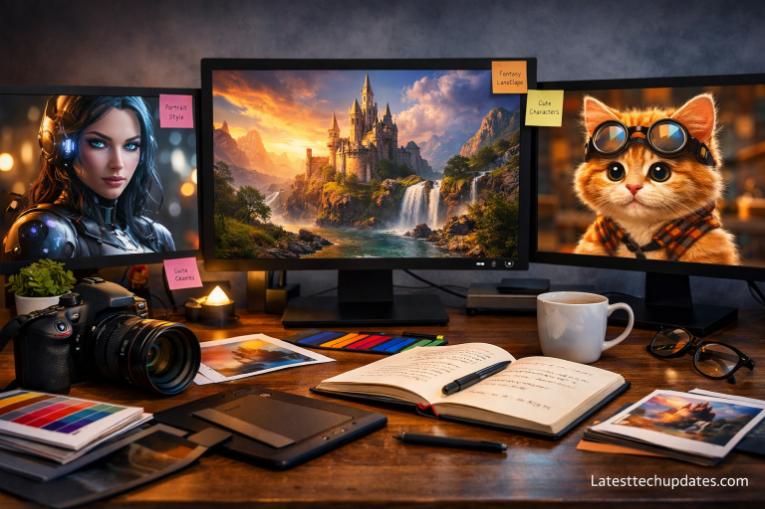
AI image generation delivers powerful creative control when the right style and prompt structure align with user intent. Best results emerge from combining clear stylistic direction, descriptive attributes, and contextual detail within prompts that guide the model toward predictable and visually rich outputs.
AI image tools have changed how visual content gets created, allowing anyone to produce high-quality artwork without traditional design skills. Many people struggle not because of weak tools, but because of unclear prompts and lack of understanding about styles. I have personally tested dozens of prompts across different tools, and I noticed that small changes in wording can completely transform the output. That realization pushed me to refine how I write prompts and how I guide others. In this article, I will walk you through the most effective AI image styles, explain how to structure prompts, and share practical examples so you can consistently generate high-quality visuals.
What Are AI Image Styles and Why Do They Matter?
AI image styles define the visual language that the model follows when generating an image. Style controls aspects such as color palette, texture, lighting, realism, and artistic influence. When I first started, I used very generic prompts, and the outputs felt random and inconsistent. Once I began specifying styles, the results became much more predictable and visually appealing.
Style selection directly impacts the emotional tone and usability of an image. A cinematic style produces dramatic lighting and depth, while a minimalist style emphasizes simplicity and clarity. Choosing the correct style ensures that the generated image aligns with your purpose, whether for marketing, storytelling, or design.
Understanding styles also improves efficiency. Instead of regenerating images repeatedly, a well-defined style reduces trial and error. From my experience, spending a few extra seconds crafting a style-focused prompt saves minutes of frustration later.
How Style Influences Output Quality
Style determines how details are rendered, including shadows, textures, and composition. A realistic style prioritizes accuracy, while an abstract style focuses on creativity and interpretation.
Why Beginners Often Ignore Style
Many beginners focus only on subject description and forget stylistic direction. That omission leads to inconsistent results and lack of visual identity.
How to Structure Effective AI Prompts for Better Results?

Prompt structure acts as the blueprint for AI image generation. A strong prompt includes subject, style, lighting, composition, and additional details. When I refined my structure, I noticed immediate improvements in clarity and consistency.
A good prompt follows a logical sequence. Start with the subject, then define the style, followed by environment and lighting. Ending with technical or quality descriptors helps refine the final output. For example, adding terms like “high detail” or “8K resolution” enhances visual sharpness.
Consistency in prompt structure leads to repeatable success. I recommend developing a personal template. That habit helped me generate better images faster without guessing what works each time.
Basic Prompt Formula
A simple formula includes subject + style + environment + lighting + quality descriptors. That combination creates a balanced and descriptive prompt.
Common Prompt Mistakes
Overloading prompts with conflicting instructions confuses the model. Keeping prompts clear and focused produces better outcomes.
Which Are the Most Popular AI Image Styles Today?
Popular styles reflect current trends in digital art and visual storytelling. Some styles consistently produce high-quality results and are widely used across industries. I have tested each of these styles extensively, and they perform reliably across different prompts.
Realistic photography style creates lifelike images with accurate lighting and textures. Digital painting style offers artistic freedom with brush-like textures. Anime style focuses on bold lines and expressive characters. Cyberpunk style emphasizes futuristic elements with neon lighting. Minimalist style reduces complexity and highlights key elements.
Choosing among these styles depends on your goal. Realistic images work well for product visuals, while anime or digital painting suits storytelling. From my experience, experimenting with multiple styles helps you discover what fits your creative needs best.
Realistic Photography Style
Digital Art and Illustration Style
Digital illustration style allows creative flexibility with colors, textures, and artistic interpretation.
How to Use Lighting and Composition in AI Prompts?
Lighting and composition shape the final visual impact of an image. When I started adding lighting details to my prompts, the results improved dramatically. Lighting defines mood, depth, and realism.
Common lighting types include soft lighting, dramatic lighting, and neon lighting. Soft lighting creates a calm and natural feel, while dramatic lighting adds contrast and intensity. Composition elements like camera angle and framing further refine the output.
Combining lighting with composition creates professional-quality images. For example, adding “cinematic lighting with shallow depth of field” produces a more polished result. Small adjustments in these elements can make a significant difference.
Types of Lighting in Prompts
Lighting options include natural light, studio light, backlighting, and volumetric lighting. Each type creates a unique visual effect.
Composition Techniques
Composition techniques include close-up shots, wide-angle views, and rule-of-thirds framing.
What Are the Best Prompt Examples for Different Styles?
Examples help translate theory into practice. I have tested these prompts personally, and they consistently produce strong results.
Here are some effective examples:
| Style | Prompt Example |
| Realistic | A professional portrait of a young man, natural lighting, shallow depth of field, ultra realistic, 8K |
| Anime | Anime girl with blue hair, vibrant colors, detailed eyes, soft lighting |
| Cyberpunk | Futuristic city at night, neon lights, cyberpunk style, high detail |
| Minimalist | Minimalist workspace with clean desk, soft lighting, simple composition |
Using these examples as a base allows customization. Adjusting small details like lighting or environment can produce entirely different outcomes.
Why Examples Improve Learning
Examples provide a clear reference point, making it easier to understand what works and why.
How to Customize Prompts
Customization involves changing one element at a time, such as style or lighting, to refine results.
How Can You Improve AI Image Results Over Time?
Improvement comes from experimentation and iteration. I learned that generating multiple variations and analyzing differences helps identify what works best.
Keeping a record of successful prompts builds a personal library. That library becomes a valuable resource for future projects. Adjusting prompts gradually rather than rewriting them completely leads to better control.
Feedback plays a key role in improvement. Comparing outputs and refining based on results enhances prompt-writing skills. Over time, patterns become clear, making the process more intuitive.
Importance of Iteration
Iteration allows gradual refinement, leading to better and more consistent outputs.
Tracking Successful Prompts
Maintaining a collection of effective prompts saves time and improves efficiency.
What Is the Future of AI Image Styles and Prompt Design?
AI image generation continues to evolve with more advanced models and capabilities. Future developments will likely focus on better understanding of context and more precise control over outputs.
Prompt design will become more intuitive, possibly incorporating natural language understanding at a deeper level. Users may not need highly structured prompts as models improve.
From my perspective, learning prompt fundamentals now provides a strong advantage. As tools evolve, those skills will remain valuable and adaptable.
Emerging Trends in AI Art
Trends include hyper-realism, 3D rendering, and hybrid styles combining multiple artistic influences.
Role of Human Creativity
Human creativity remains essential, as prompts still require imagination and direction.
Conclusion
AI image generation becomes significantly more powerful when style and prompt structure are used effectively. Clear prompts, combined with the right style, lighting, and composition, lead to consistent and high-quality results. My experience shows that small refinements in wording can dramatically improve outputs, and practicing prompt writing builds confidence over time. Anyone can create stunning visuals by understanding these principles and applying them consistently.
FAQ’s
What is the best AI image style for beginners?
Realistic and minimalist styles work best for beginners because they are easier to control and produce predictable results.
How long should an AI prompt be?
An effective prompt should be detailed but not overloaded. Around one to two sentences usually works well.
Can I combine multiple styles in one prompt?
Combining styles is possible, but keeping balance is important to avoid confusing the model.
Why do my AI images look inconsistent?
Inconsistency often comes from unclear prompts or missing style and lighting details.
How can I get better results quickly?
Use structured prompts, experiment with styles, and refine based on previous outputs.
