
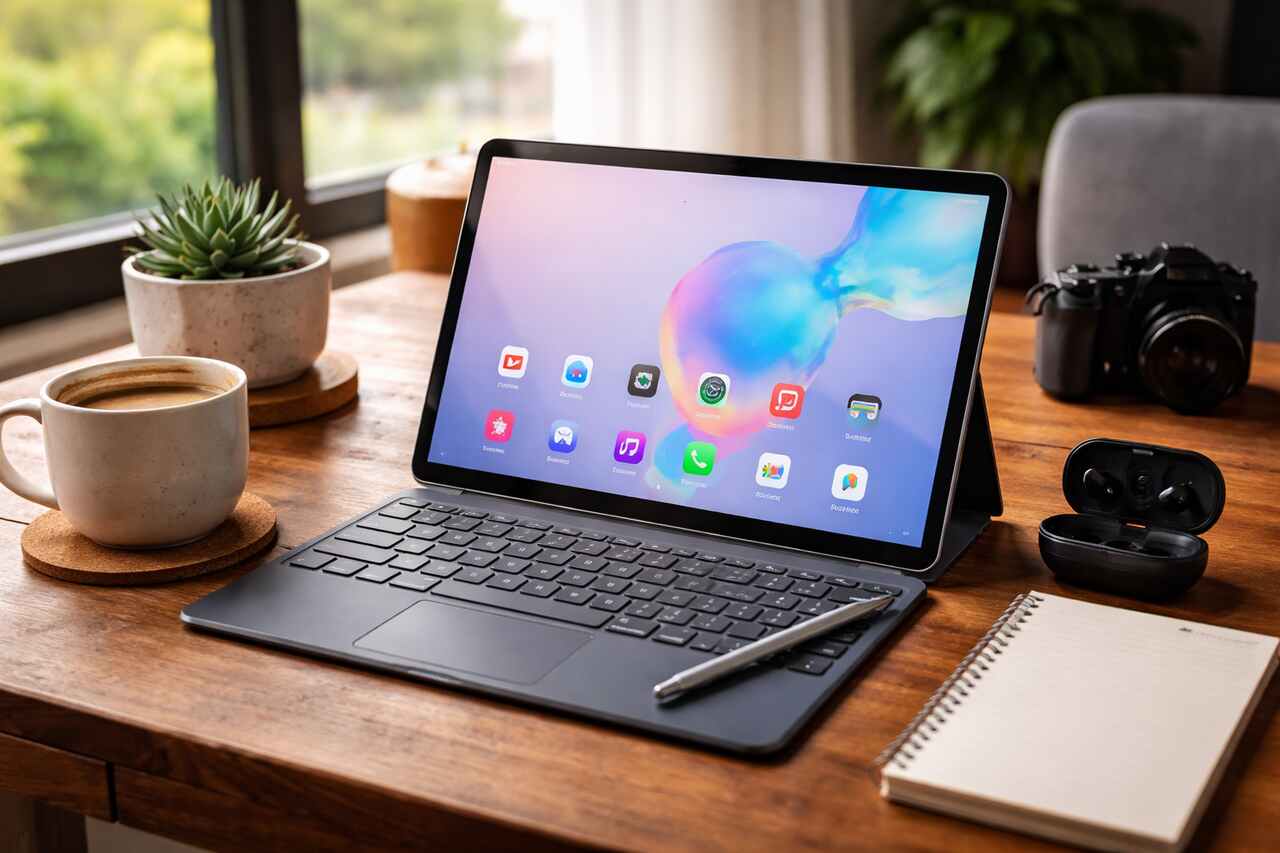
Highlights
- Hands on experience using the Galaxy Tab S6 as a daily productivity and entertainment device
- Detailed breakdown of design, display, performance, battery, and S Pen usability
- Real world gaming, multitasking, and media consumption insights
- Honest pros and limitations based on long term usage
- Clear guidance on who should buy the Tab S6 and who should skip it
When I first decided to write this Tab S6 review, my goal was simple. I wanted to talk directly to you as someone who actually used the device, not someone repeating spec sheets. I have spent extended time using the Samsung Galaxy Tab S6 for work, entertainment, and casual everyday tasks. In this article, I will walk you through what it feels like to live with this tablet, where it shines, where it struggles, and whether it still makes sense today.
If you are considering a premium Android tablet or you are simply curious about how the Tab S6 performs in real life, this review is written for you. I will explain everything in detail using clear language, personal observations, and practical examples so you can decide confidently.
Evaluate Design and Build Quality in Daily Use
The first thing I noticed when I picked up the Tab S6 was how premium it felt in my hands. The tablet is slim, lightweight, and solid. The metal body gives it a professional look and a reassuring sturdiness that cheaper tablets often lack. I carried it in a backpack, used it on desks, and held it for long reading sessions without feeling fatigue.
The slim profile makes it easy to slide into a bag, and the weight distribution feels balanced. I did not experience hand strain even during extended use. The buttons are placed logically, and I quickly got used to the volume and power button positions. The fingerprint sensor under the display also worked reliably once I registered my finger properly.
From my experience, the design feels intentional. Samsung clearly aimed to make this tablet feel like a high end productivity device rather than just a media consumption screen. The clean finish and minimal branding add to its appeal.
Test Display Quality for Entertainment and Work
The display is one of the strongest reasons to consider this device, and I realized that within minutes of turning it on. The Super AMOLED screen delivers deep blacks, vibrant colors, and excellent contrast. Watching videos, browsing photos, or editing documents all felt immersive and comfortable.
I used the Tab S6 for streaming movies, reading articles, and even light photo editing. Text appears sharp, and colors look accurate without being oversaturated. Brightness levels were more than enough for indoor use and still usable outdoors under shade.
What impressed me most was how easy the display is on the eyes. Long reading sessions did not cause noticeable eye strain, and the viewing angles remained excellent. Whether I was holding the tablet vertically or horizontally, the quality stayed consistent.
Measure Performance for Multitasking and Speed
Performance is a critical part of any Tab S6 review, and this is where the device truly feels powerful. Day to day tasks like browsing, email, document editing, and app switching felt smooth and responsive. I rarely encountered lag or stuttering during normal use.
I often ran multiple apps side by side using split screen mode. For example, I would keep a browser open while taking notes or watching a video while replying to messages. The tablet handled this effortlessly. App reloads were minimal, and transitions felt fast.
Even after extended use, performance remained consistent. I did not notice significant slowdowns, which tells me the hardware is well optimized. For productivity focused users, this level of responsiveness makes a big difference.
Analyze Gaming Performance and Heat Control
Gaming on the Tab S6 was surprisingly enjoyable. I tested several demanding games and noticed stable frame rates and smooth gameplay. The large screen enhances immersion, and touch response felt accurate.
During longer gaming sessions, the tablet did get slightly warm, but never uncomfortably hot. Heat was well managed and did not affect performance. I did not experience throttling or sudden drops in frame rate, which is something I often see in less capable tablets.
If you enjoy casual or even moderately intensive gaming, the Tab S6 can handle it confidently. While it is not a dedicated gaming device, it performs more than well enough for most users.
Experience Battery Life in Real World Scenarios
Battery life is always a concern, and I paid close attention to it during my time with the tablet. On average use days that included browsing, video streaming, note taking, and some gaming, I comfortably got a full day of use.
When using the tablet primarily for media consumption, battery life stretched even longer. Watching videos at moderate brightness drained power at a reasonable pace. Standby time was also impressive, as the tablet did not lose much charge overnight.
Charging speed is decent, though not the fastest I have seen. I usually charged the tablet overnight or during breaks, and it was ready by the time I needed it again. Overall, battery performance felt reliable and predictable.
Use the S Pen for Productivity and Creativity
The S Pen is one of the defining features of the Tab S6, and from my experience, it adds real value. Writing with the S Pen feels natural and responsive. There is minimal delay, and pressure sensitivity works well for both note taking and drawing.
I used the S Pen extensively for handwritten notes, sketching ideas, and marking up documents. It felt accurate and comfortable, even during long sessions. The magnetic attachment on the back of the tablet kept it secure, though I had to be mindful not to knock it off accidentally.
What I appreciated most is that the S Pen does not require charging for basic use. This removes a lot of friction and makes it easy to pick up and use whenever inspiration strikes.
Test Software Features and User Experience
Software plays a huge role in how a tablet feels, and the Tab S6 delivers a polished experience. The interface is clean, customizable, and intuitive. I quickly adjusted settings, organized apps, and tailored the home screen to fit my workflow.
One feature I relied on heavily was the desktop style mode. When connected to a keyboard and mouse, the tablet transformed into a laptop like environment. This made tasks like writing, email management, and web research much more comfortable.
App compatibility was generally good, though some apps still feel better optimized for phones. However, most major apps worked well and took advantage of the larger screen.
Evaluate Audio Quality for Media Consumption
Audio quality exceeded my expectations. The speakers deliver clear sound with noticeable depth and volume. Watching movies and listening to music felt immersive without needing external speakers.
Dialogue remained clear even at higher volumes, and bass response was respectable for a tablet. Stereo separation was noticeable, especially when holding the tablet horizontally.
For casual listening and media playback, the built in speakers are more than sufficient. I only reached for headphones in noisy environments or for private listening.
Compare Portability and Everyday Convenience
One thing I truly appreciated during my time with the Tab S6 was how easy it was to integrate into daily life. Whether I was working at a desk, relaxing on the couch, or traveling, the tablet adapted effortlessly.
Its size strikes a good balance between screen real estate and portability. It is large enough for productivity but still easy to carry around. I often reached for it instead of my laptop for quick tasks.
This level of convenience makes the Tab S6 feel like a versatile companion rather than a device that stays on a shelf.
Review Camera Performance for Practical Use
While tablets are not known for their cameras, the Tab S6 performs reasonably well. I used the camera mainly for scanning documents, video calls, and occasional photos.
In good lighting, images looked clear and detailed. Video calls were sharp enough, and the front camera handled conferences and virtual meetings without issues.
For casual use, the cameras get the job done. I would not rely on them for serious photography, but they serve their purpose well.
Examine Storage Options and Connectivity
Storage flexibility is another strong point. I never felt limited when installing apps, downloading files, or storing media. The tablet handled large files smoothly and maintained fast access speeds.
Connectivity was stable throughout my usage. Wi Fi performance remained consistent, and Bluetooth accessories paired easily. I connected keyboards, headphones, and other devices without issues.
This reliability made the tablet feel dependable in both work and leisure environments.
Assess Value for Money Based on Experience
When considering the price, I believe the Tab S6 offers strong value for users who want a premium Android tablet experience. The combination of performance, display quality, S Pen support, and software features makes it feel like a complete package.
It may not be the newest model available, but in real world use, it still feels capable and relevant. If you can find it at a competitive price, it becomes even more appealing.
Understand Who Should Buy the Tab S6
From my experience, the Tab S6 is ideal for students, professionals, and creatives who want a powerful tablet for productivity and entertainment. If you value a high quality display, smooth performance, and stylus support, this tablet fits well.
It is also a great option for users who want a lightweight alternative to a laptop for everyday tasks.
Identify Who Should Skip the Tab S6
If you need the absolute latest features or the longest software support timeline, you might want to consider newer models. Also, if you primarily want a tablet for basic tasks and are on a tight budget, there may be more affordable options available.
Key Specifications Overview
| Feature Area | Experience Summary |
| Display | Vibrant, sharp, and comfortable for long use |
| Performance | Smooth multitasking and reliable speed |
| Battery | Full day usage with consistent standby |
| S Pen | Responsive, accurate, and practical |
| Audio | Loud, clear, and immersive |
Usage Scenario Comparison
| Activity Type | Performance Level |
| Media streaming | Excellent |
| Note taking | Excellent |
| Gaming | Very good |
| Multitasking | Excellent |
| Video calls | Good |
Final Thoughts
After spending significant time with the device, I can confidently say that the Tab S6 remains a strong and capable tablet. It blends premium design, powerful performance, and practical features into a well rounded experience. I genuinely enjoyed using it, and it often surprised me with how easily it replaced my laptop for many tasks.
If you are looking for a reliable Android tablet that still feels modern and powerful, the Tab S6 deserves serious consideration.
For more informative articles you can visit our blog Latesttechupdates.com
FAQ’s
Is the Tab S6 still good for daily use?
Yes, based on my experience, it handles daily tasks smoothly and remains reliable for work and entertainment.
Can the Tab S6 replace a laptop?
For many users, it can replace a laptop for writing, browsing, media consumption, and light productivity tasks.
How is the S Pen experience?
The S Pen feels responsive and natural, making it excellent for note taking and creative work.
Is the display suitable for long reading sessions?
Yes, the display is easy on the eyes and comfortable for extended use.
Does the tablet overheat during gaming?
In my testing, it stayed warm but never reached uncomfortable levels.
Is the Tab S6 worth buying today?
If priced reasonably, it still offers strong value and a premium experience.
